
We are Official Certified bubble.io & flutterflow App Development partner


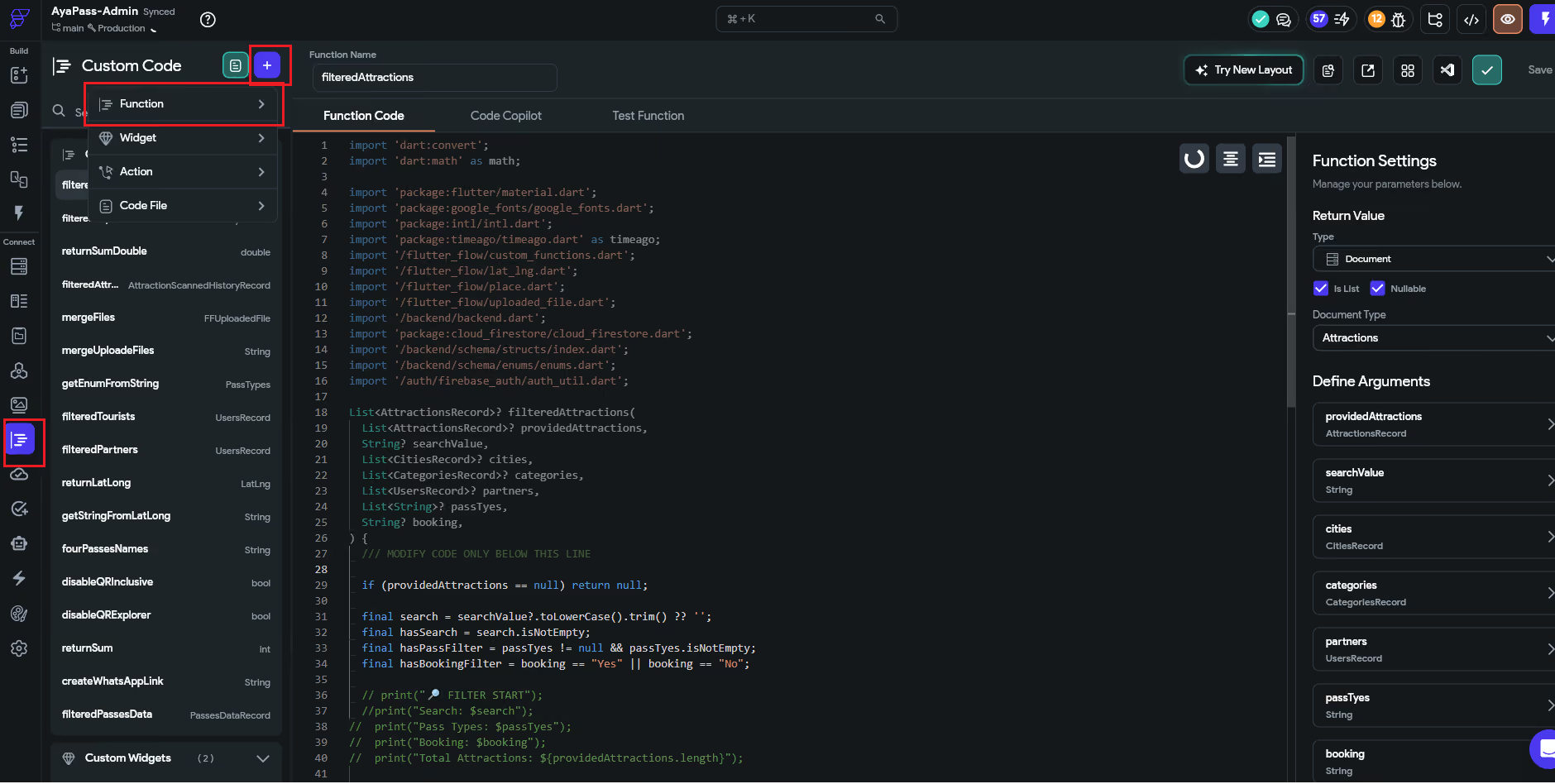
When building an application in FlutterFlow, the native visual builder can handle the vast majority of your layout, navigation, and backend queries. However, there are times when you need to perform specific data calculations, string cleanups, or mathematical logic that the standard UI components can't do out of the box.
This is where Custom Functions come in. This guide breaks down the What, Why, and How of implementing custom Dart logic into your project.
A Custom Function in FlutterFlow is a short snippet of pure Dart code designed to execute standalone logic or calculations. Unlike other custom code options in FlutterFlow, functions are strictly input-output operations: they take in data (arguments), process it instantly, and return a single result back to your app UI or state variables.
Relying on Custom Functions elevates your app from a basic layout prototype to a highly capable production application by offering:
To understand the workflow, let's build an everyday production example: An Order Total Calculator that applies a tax rate and adds a flat shipping fee to an order subtotal.
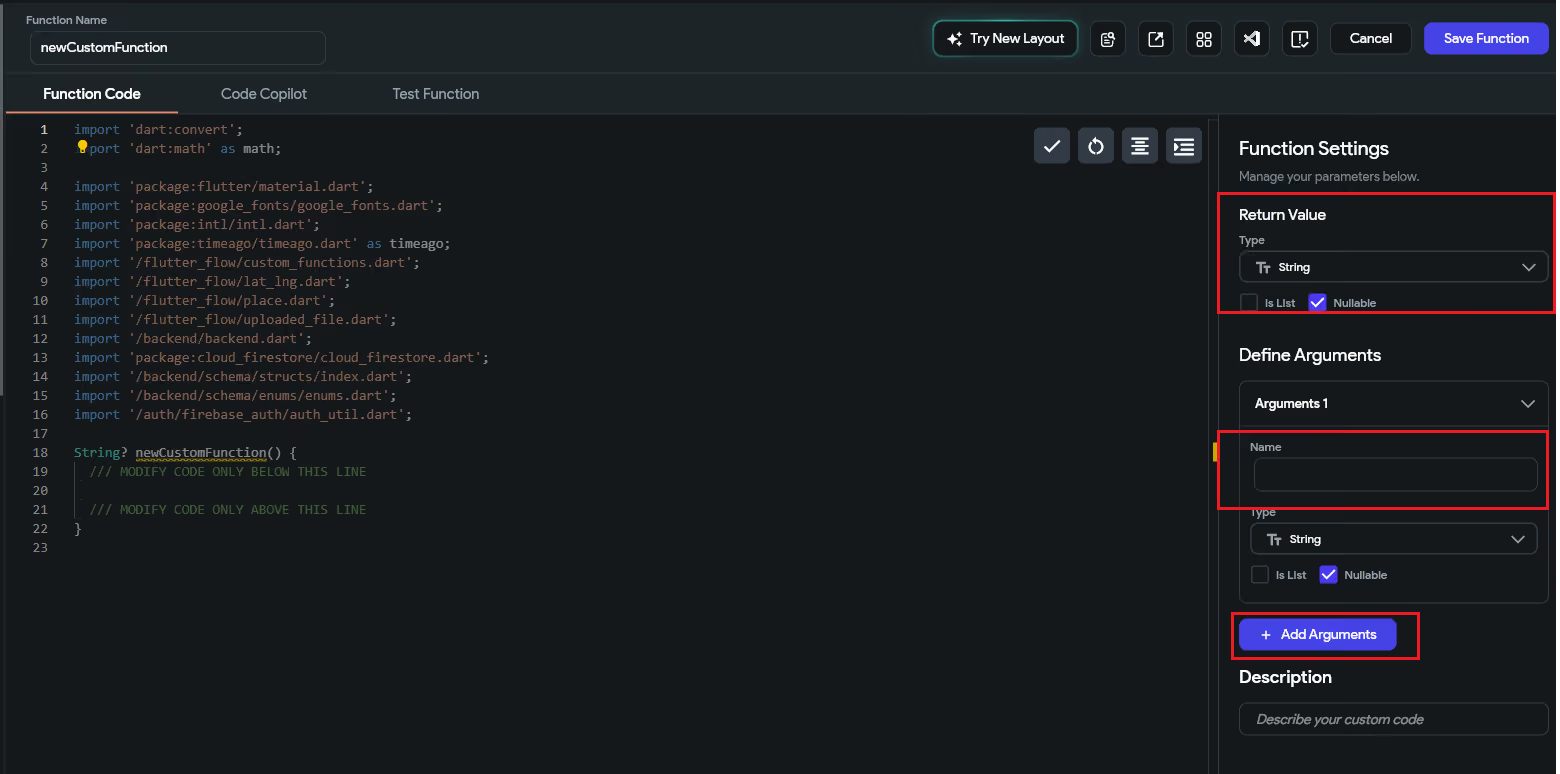
Before writing code, you must explicitly tell FlutterFlow what data types are entering and exiting your function in the right-hand configuration panel.
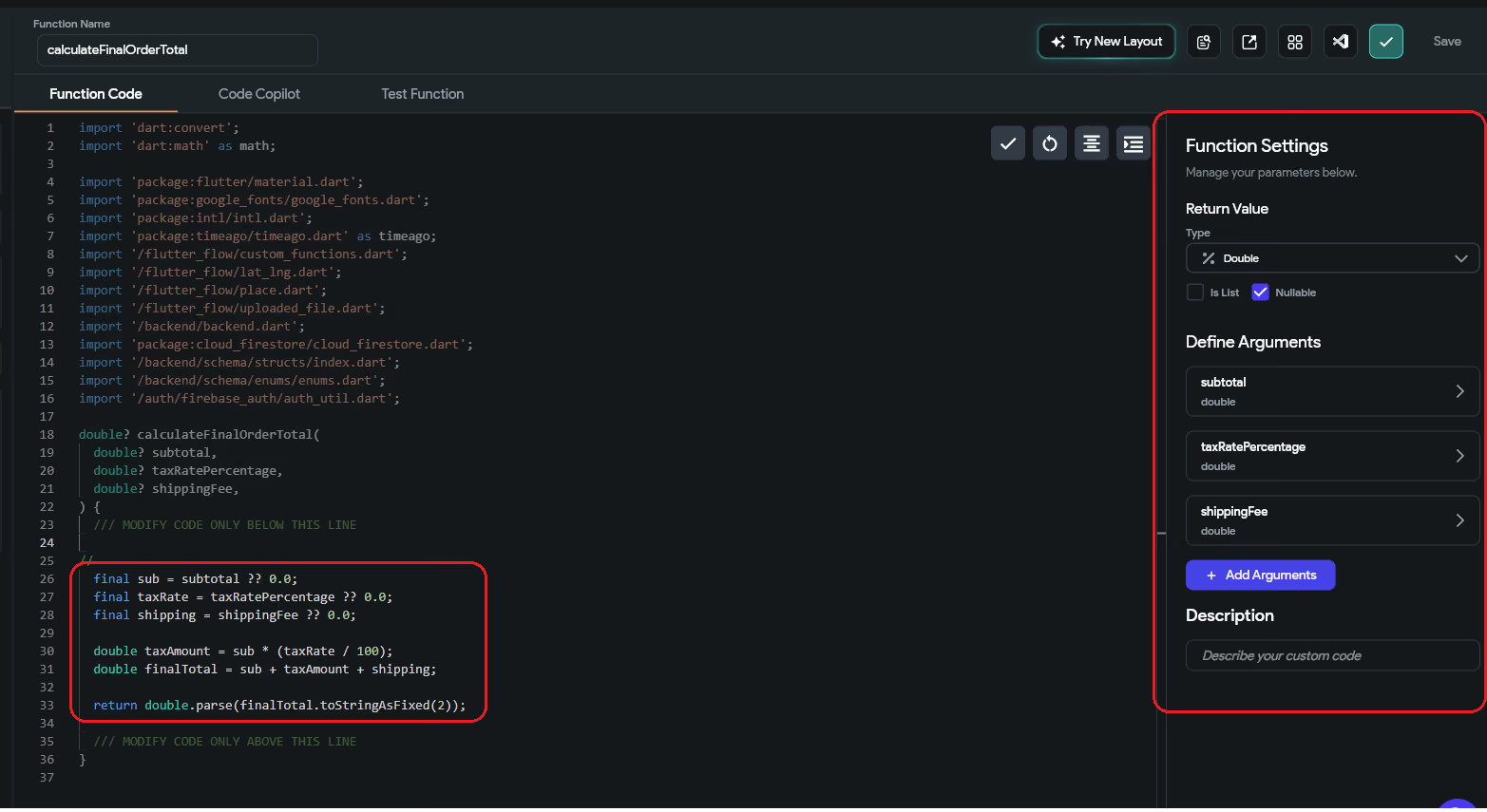
FlutterFlow will automatically generate the function wrapper code based on your configurations. Write your core calculation logic inside the designated green area:
double? calculateFinalOrderTotal(
double? subtotal,
double? taxRatePercentage,
double? shippingFee,
) {
/// MODIFY CODE ONLY BELOW THIS LINE
final sub = subtotal ?? 0.0;
final taxRate = taxRatePercentage ?? 0.0;
final shipping = shippingFee ?? 0.0;
double taxAmount = sub * (taxRate / 100);
double finalTotal = sub + taxAmount + shipping;
return double.parse(finalTotal.toStringAsFixed(2));
/// MODIFY CODE ONLY ABOVE THIS LINE
}
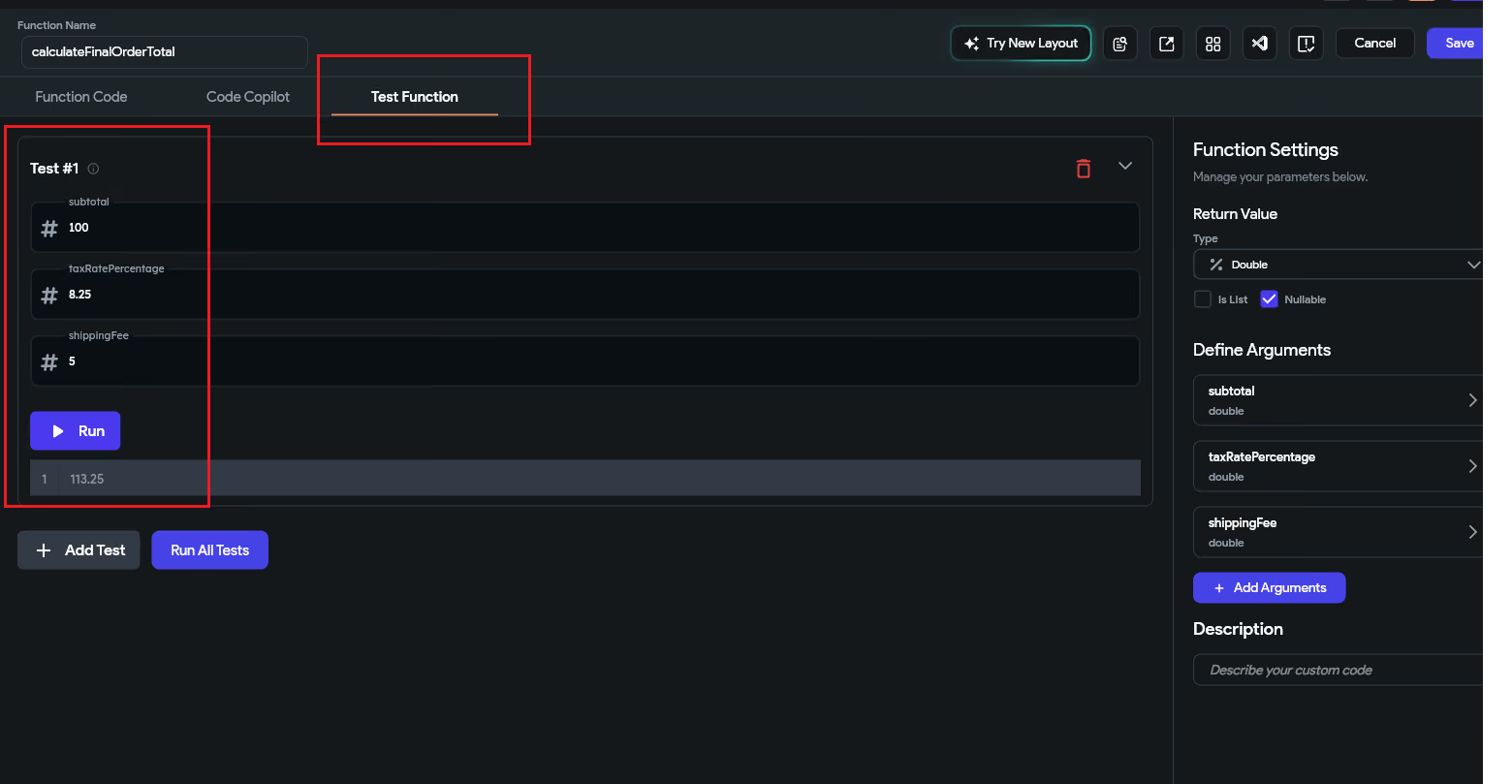
It is critical to validate that your logic works reliably with mock data before plugging it into your user interface.
Once your code passes testing, map its final output to a visual element on your canvas.
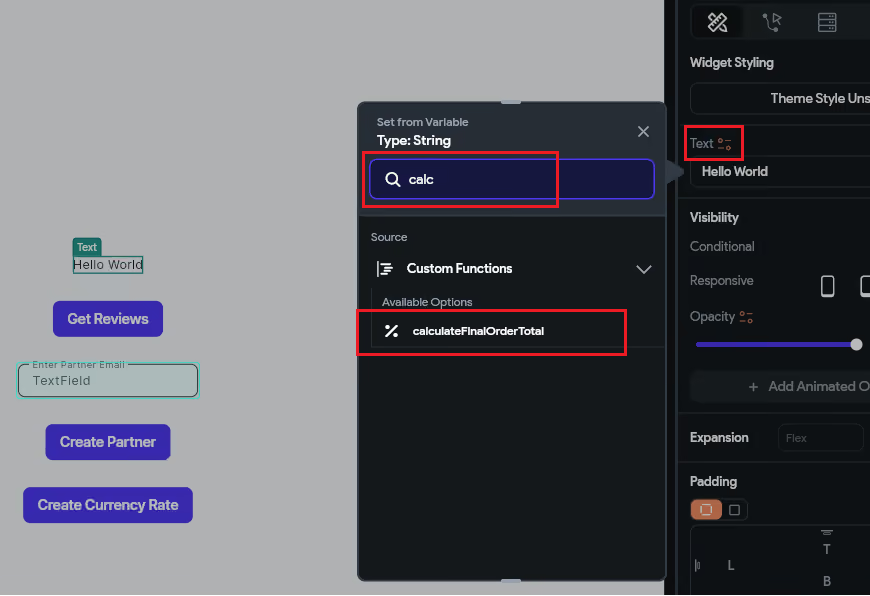
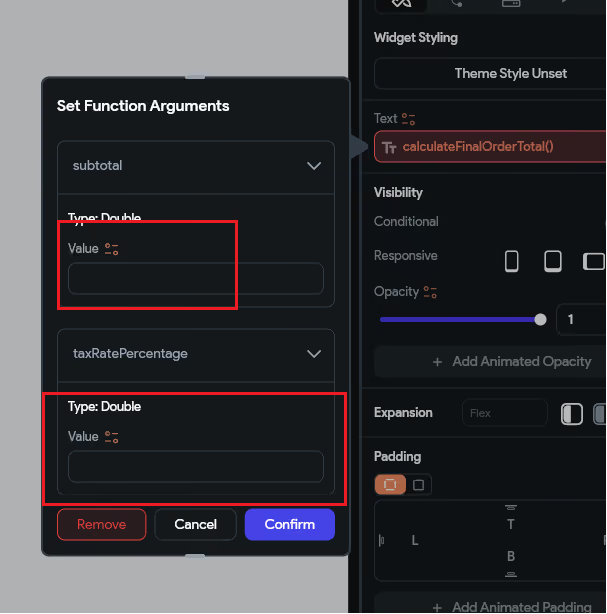
If an empty form field passes a null string or an unassigned value into a function, your application will crash in production. Always use conditional defaults (like input ?? 0.0) or handle empty validations safely inside your logic blocks to prevent execution failures.
Before constructing complex custom mathematical operations or regex data validations from scratch, check the Utility Functions Library built directly into FlutterFlow. It contains over 50 pre-built, production-vetted functions for date formatting, text scrubbing, and security validation that can save development hours.
Custom functions should never perform heavy API calls, write information directly to database tables, or fetch local device hardware coordinates. If your script requires a Future or an asynchronous await modifier, delete the function code and rebuild the workflow as a Custom Action instead.
.svg)
.svg)


.avif)
