


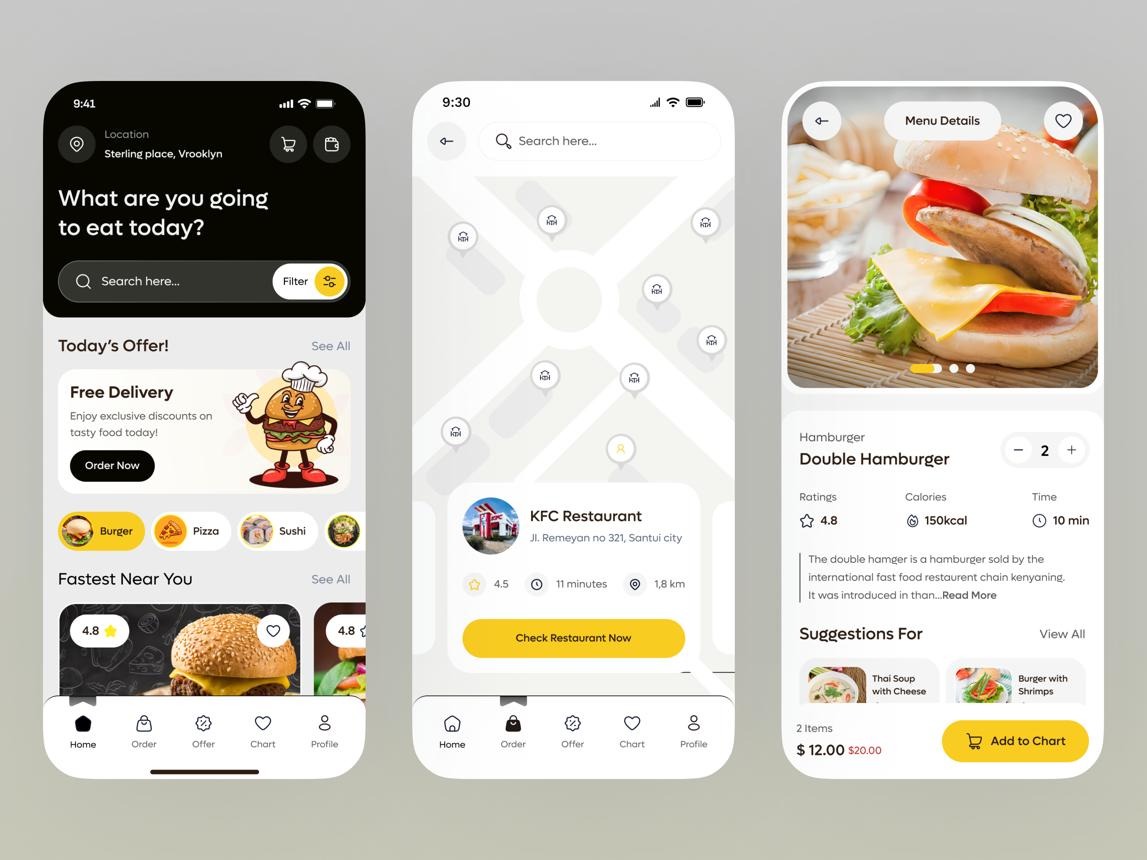
Building an app like Zomato means creating more than a food-ordering app. It means connecting customers, restaurants, delivery partners, and administrators through one platform.
Customers need to discover restaurants, compare menus, read reviews, place orders, and track deliveries. Restaurants need tools to manage menus, accept orders, and monitor performance. Your platform must bring these activities together in a smooth experience.
If you want to launch a food delivery startup, the practical approach is to start with a focused MVP, test it in one market, and expand as demand grows.
This guide explains how to build an app like Zomato, which features to include, how to plan development, and what to consider before launch.
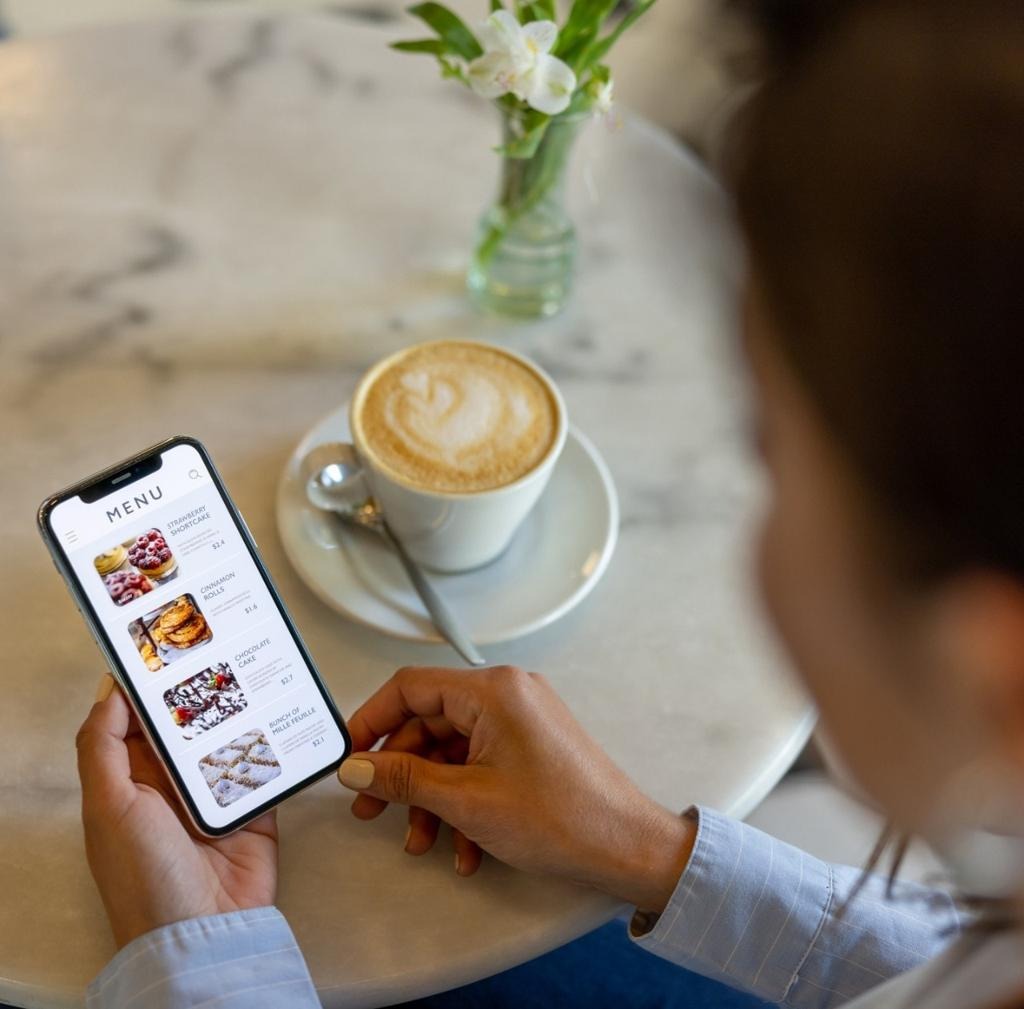
Zomato is a food and restaurant discovery platform that helps people find places to eat and, in supported markets, order food for delivery. Its broader ecosystem connects diners with restaurant information, menus, ratings, and ordering experiences.
A Zomato-style startup can build a business around three core activities:
The exact business model depends on your market. Some platforms focus on delivery, while others support pickup, restaurant reservations, or discovery-first experiences.
|
User
|
What they get
|
| --- | --- |
|
Customers
|
Restaurant choices, menus, reviews, convenient ordering
|
|
Restaurants
|
Online visibility, digital orders, customer reach
|
|
Delivery partners
|
Delivery assignments and order information
|
|
Platform owner
|
Revenue opportunities, marketplace activity, operational data
|
The main challenge is coordinating all four sides without making the experience confusing.
A food delivery marketplace typically follows this journey:
The app needs to keep customers, restaurants, and delivery operations updated as the order moves through each stage.
A Zomato-style platform usually needs multiple interfaces. You can build them as separate apps or as role-based experiences within one application.
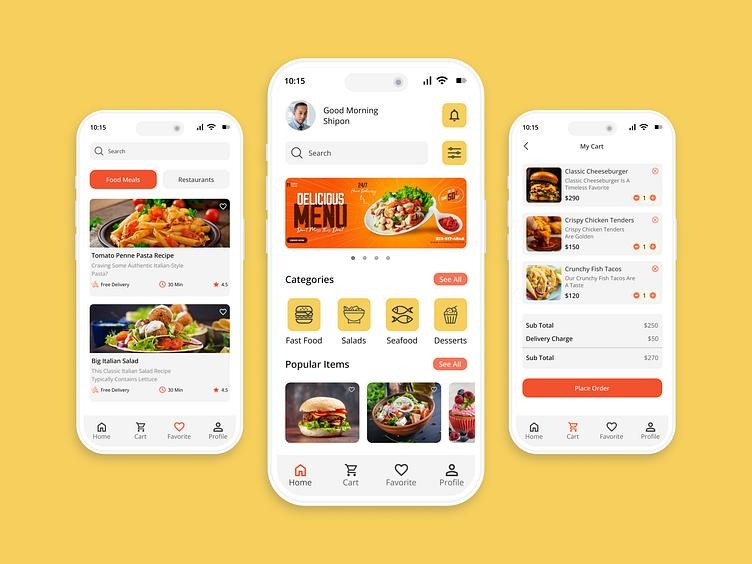
The customer app is where people discover restaurants and place orders. Make the key actions easy to find, especially search, menu browsing, and checkout.
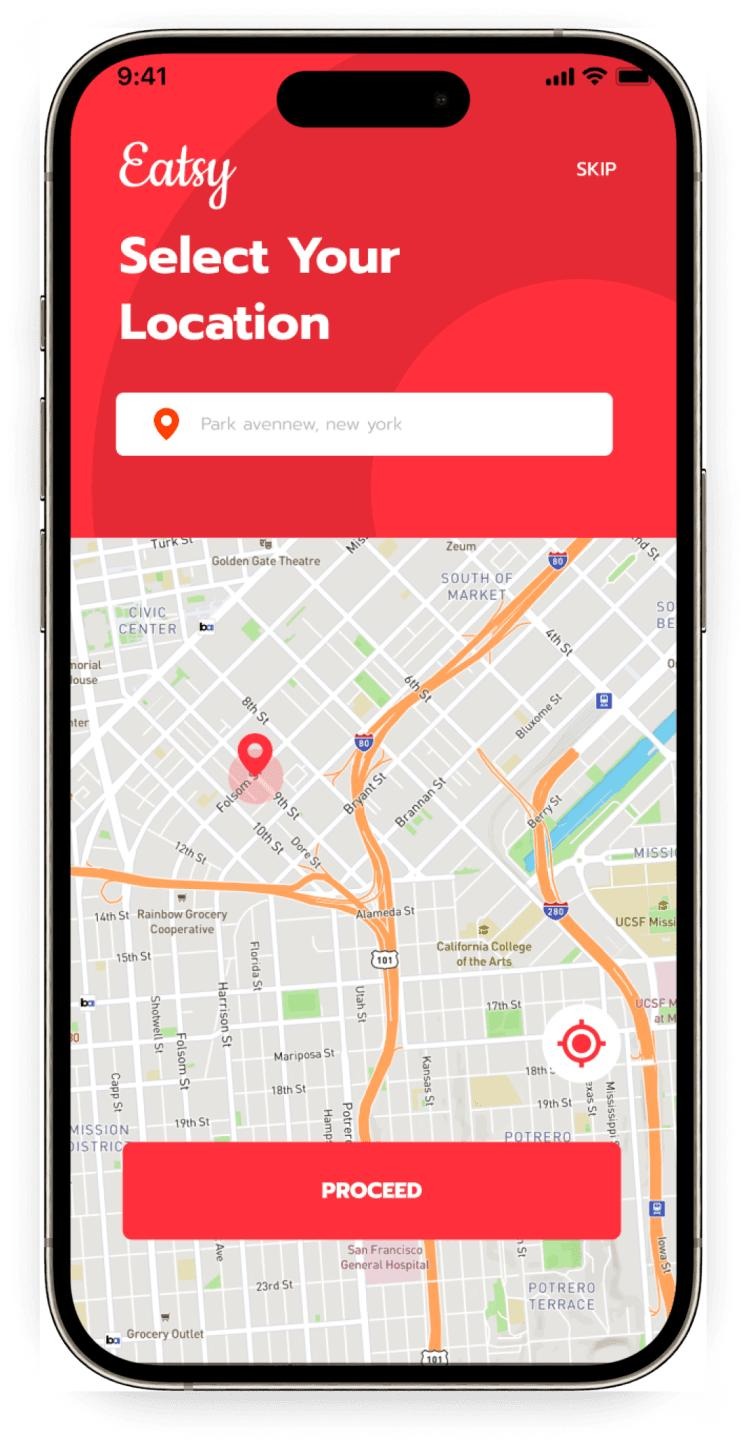
Location and address management
Let users set their delivery address, save multiple locations, and check which restaurants serve them.
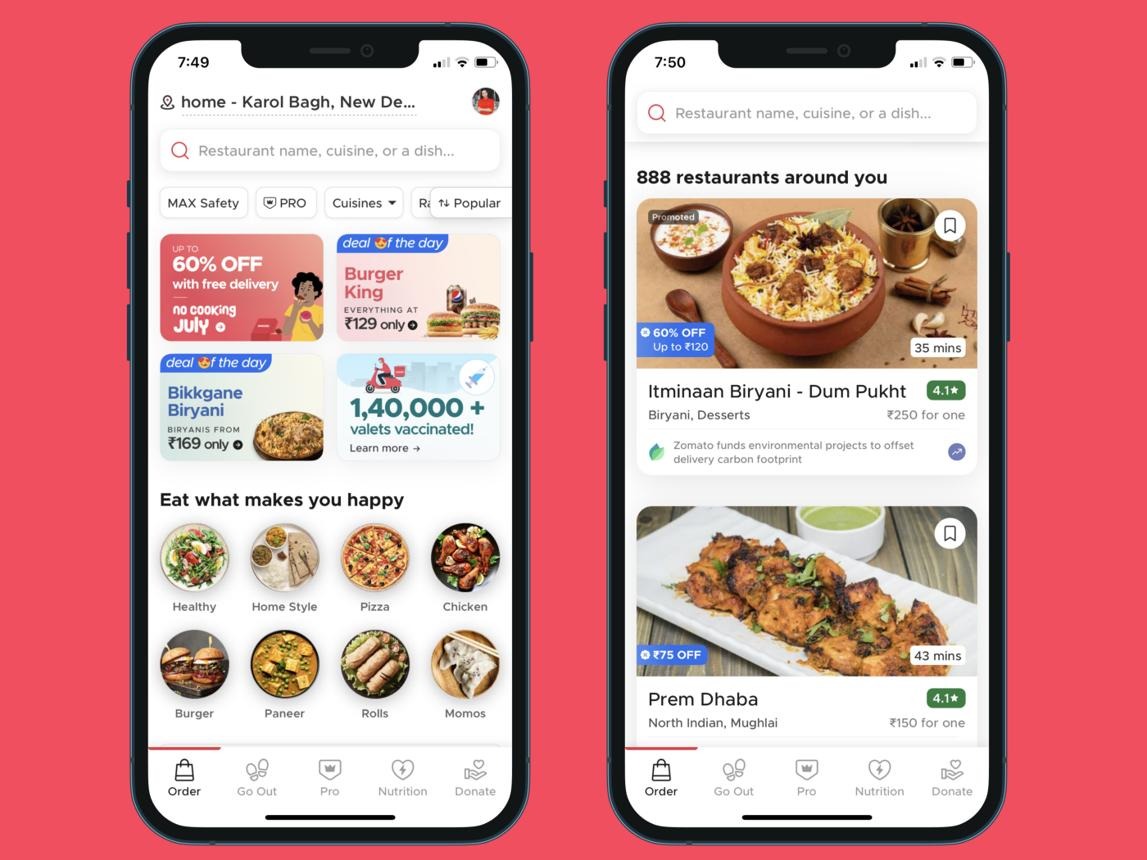
Restaurant discovery and search
Search by restaurant, cuisine, dish, location, or dietary preference. Add filters for price, ratings, and delivery time.
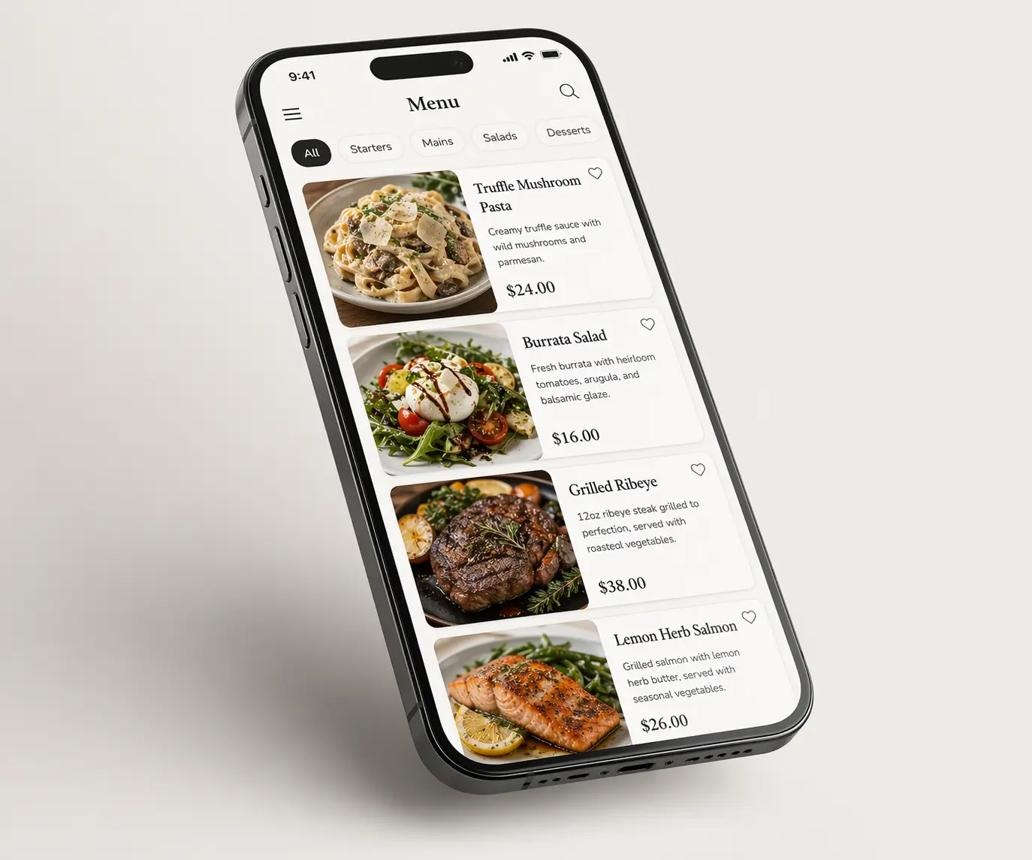
Digital menus
Show food images, descriptions, prices, add-ons, portion choices, and item availability.
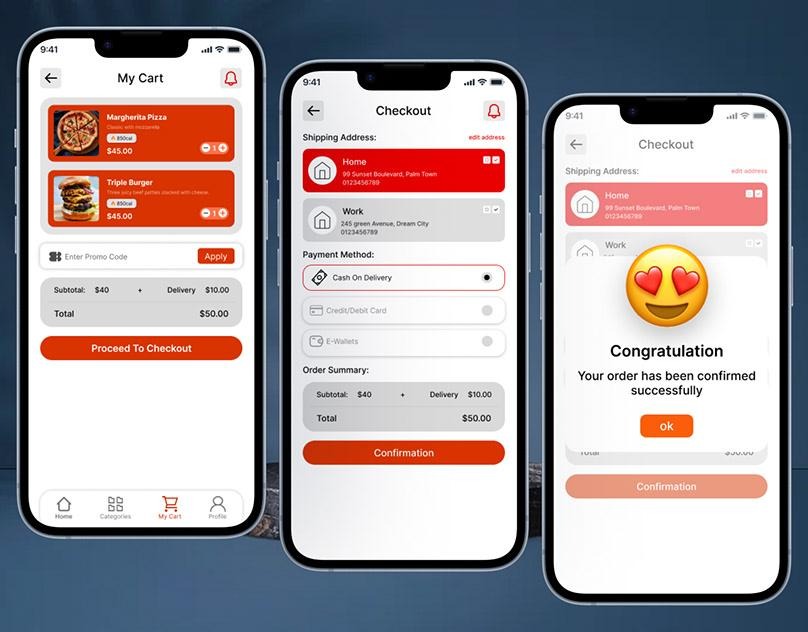
Cart and checkout
Support item customization, delivery instructions, promo codes, taxes, delivery fees, and order totals.
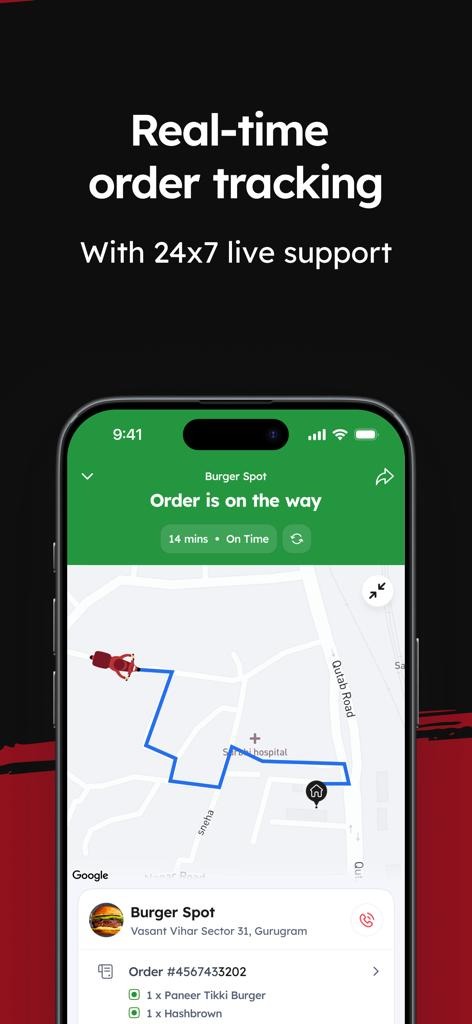
Order tracking and notifications
Show order stages, estimated arrival, and delivery-partner details when applicable.
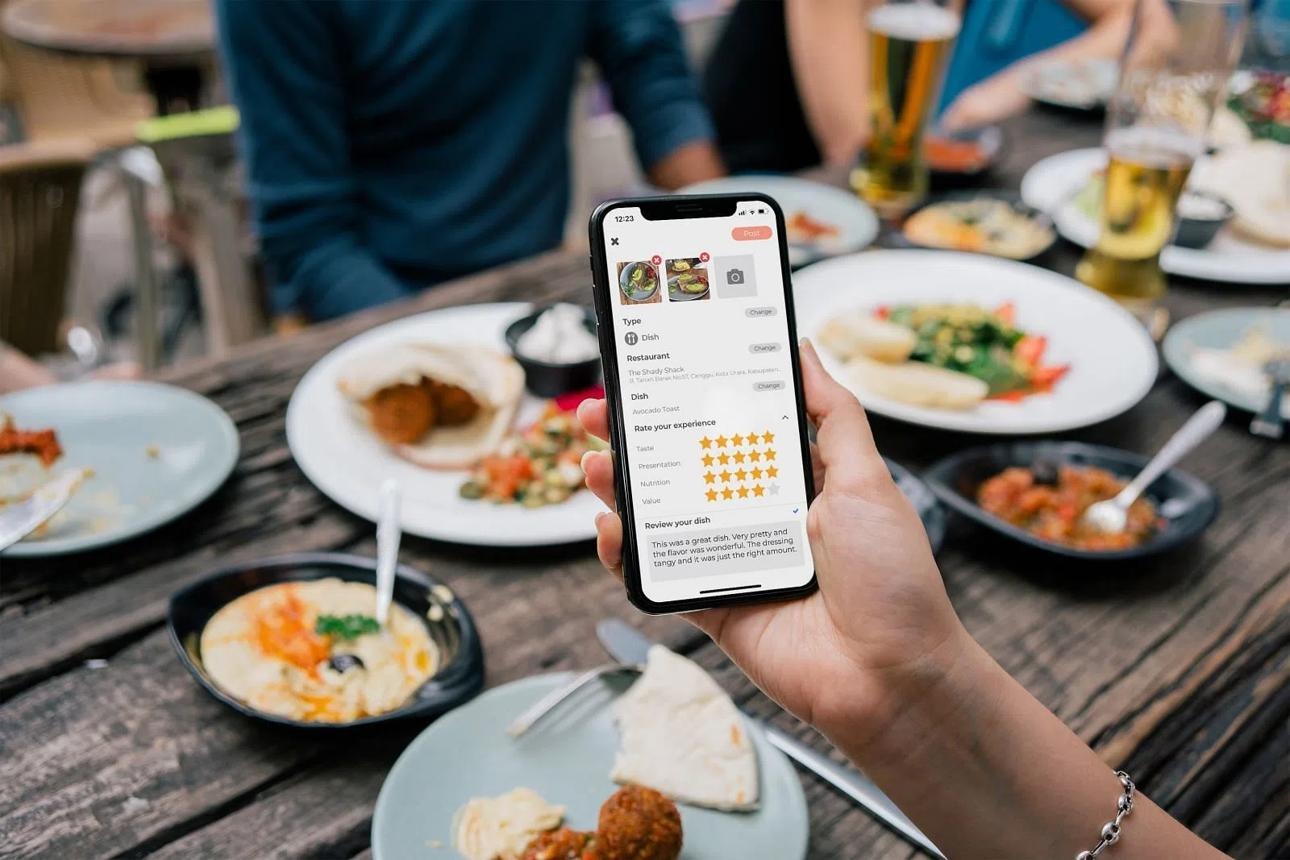
Ratings and reviews
Allow customers to rate completed orders and share feedback. Add moderation and reporting tools.
Other useful customer features include:
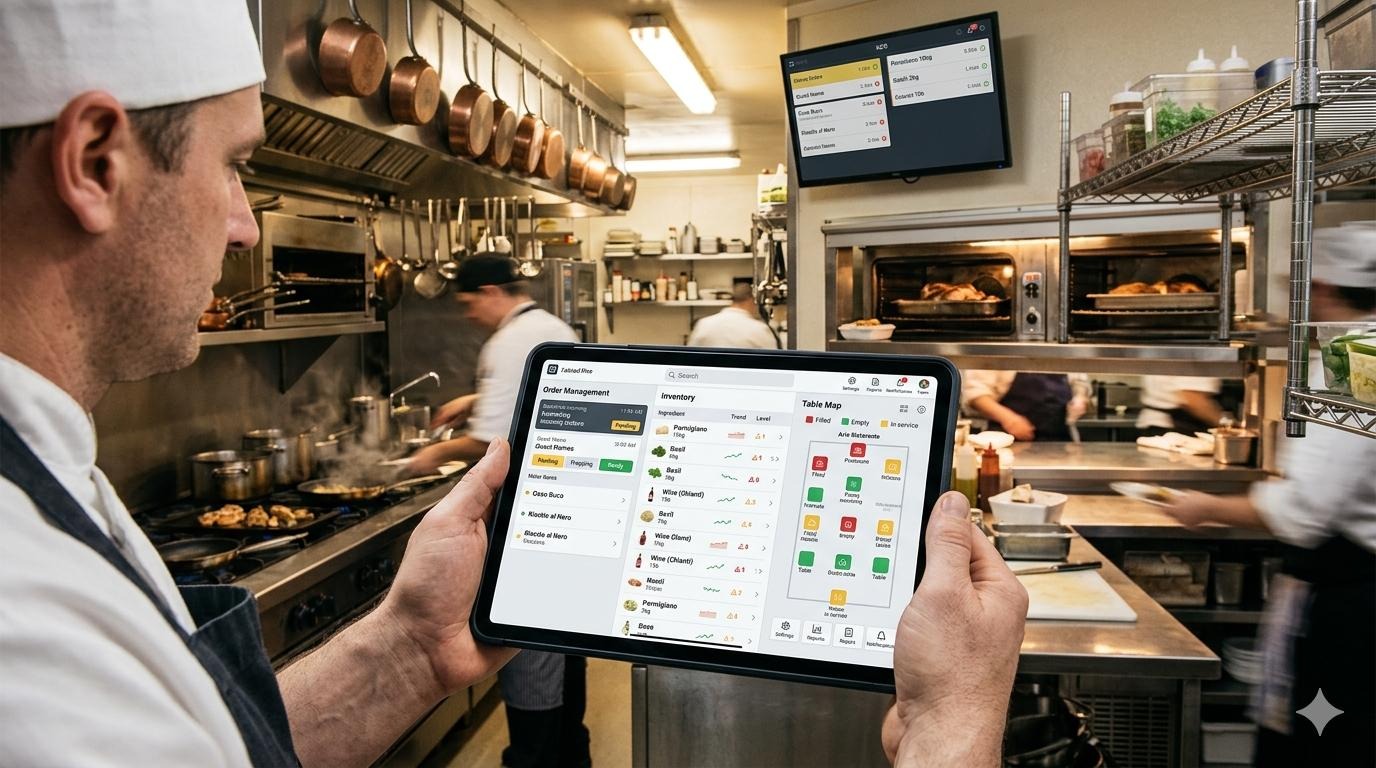
Restaurants need a simple way to handle digital orders without disrupting kitchen operations.
|
Feature
|
Purpose
|
| --- | --- |
|
Restaurant profile
|
Manage business details, photos, hours, and service areas
|
|
Menu management
|
Add dishes, prices, descriptions, options, and images
|
|
Availability controls
|
Mark dishes or the restaurant as temporarily unavailable
|
|
Order management
|
Accept, reject, and update incoming orders
|
|
Preparation estimates
|
Set or adjust expected preparation time
|
|
Promotions
|
Create or manage platform-supported offers
|
|
Sales reports
|
Review orders, revenue, and order trends
|
|
Reviews
|
Read customer feedback and respond where supported
|
|
Staff access
|
Provide suitable permissions for restaurant employees
|
MVP tip: Start with menu management, order acceptance, status updates, availability controls, and a basic order report. Add advanced analytics after restaurants are actively using the platform.
If your business manages its own delivery network, delivery partners need a dedicated workflow.
Core features include:
You can initially use a small, manually coordinated delivery team instead of building complex automated dispatching from day one.
The admin dashboard helps your team operate the marketplace.
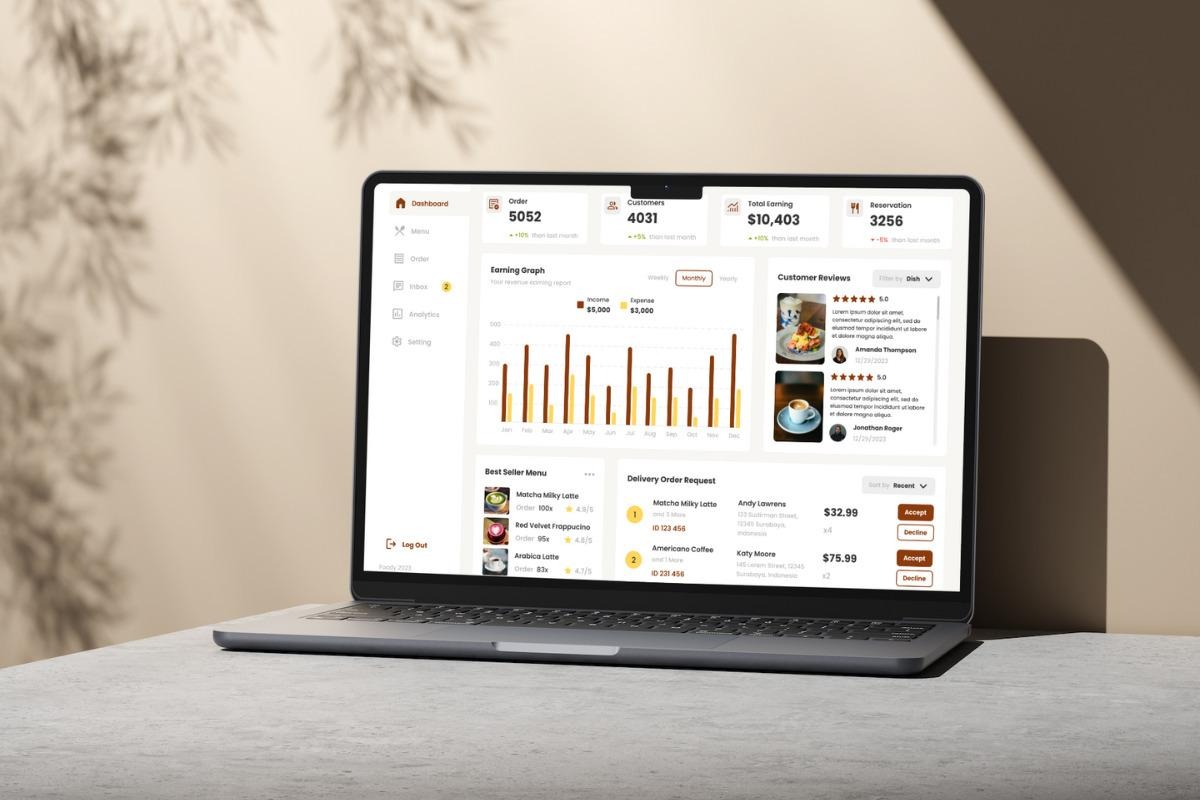
Important admin features include:
Admin tools are essential even in an MVP. Without them, routine issues can turn into manual work across messages, spreadsheets, and phone calls.
You do not need every feature at launch. Build the core ordering experience first, then add features based on customer and restaurant feedback.
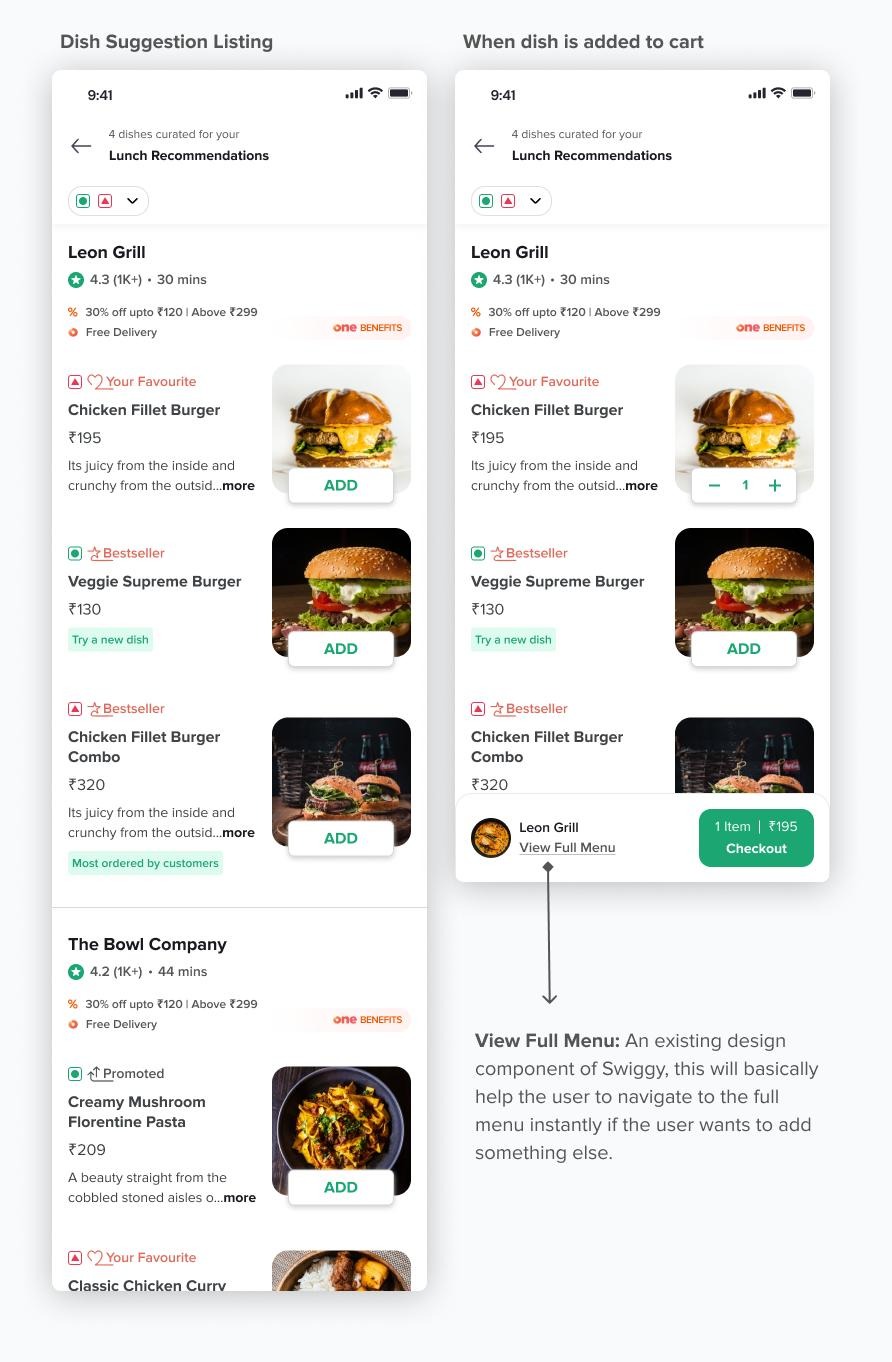
Personalized recommendations
Suggest restaurants and dishes using customer preferences, previous orders, and browsing activity.
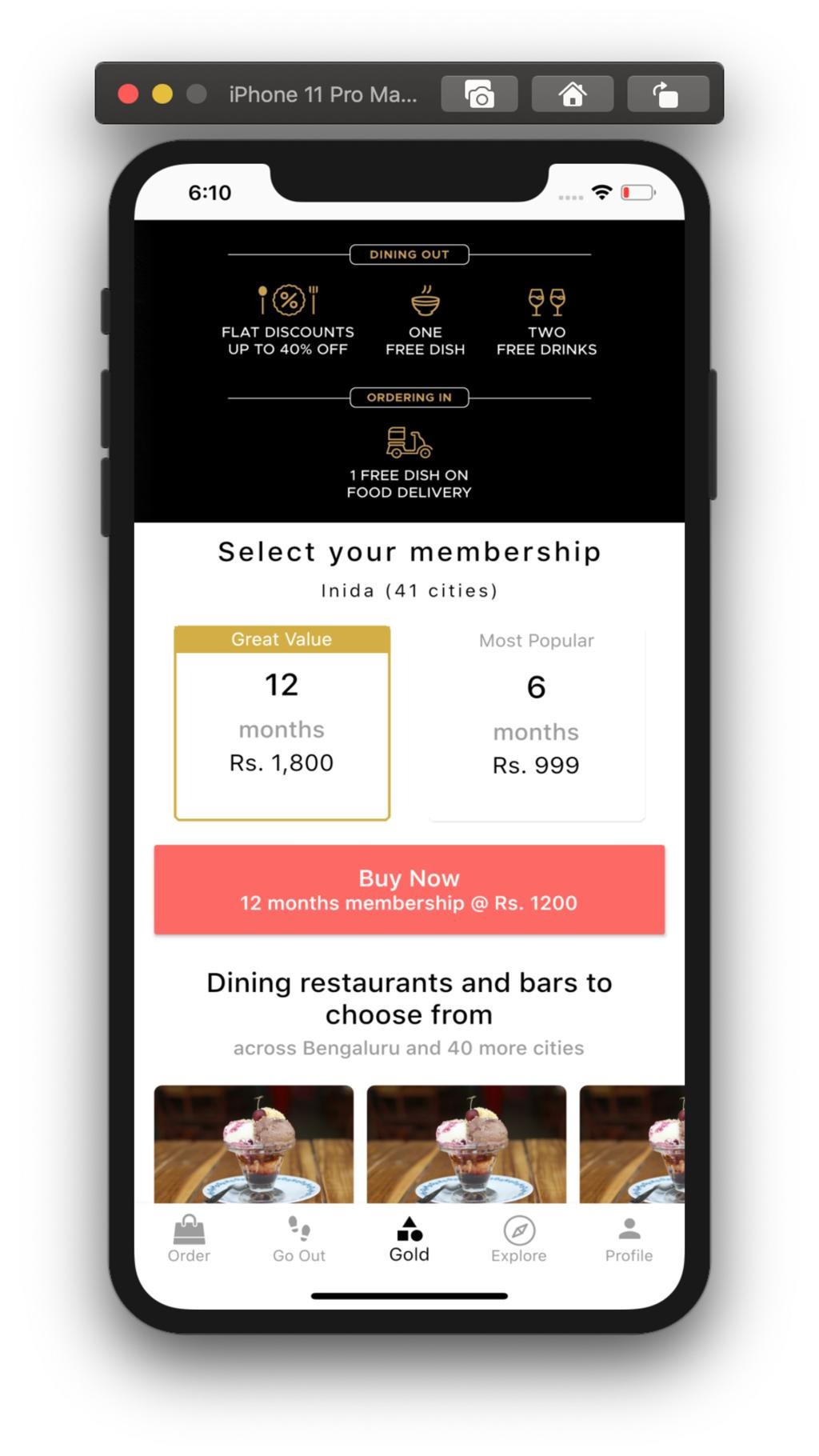
Subscription plans
Offer benefits such as eligible delivery-fee discounts or member-only promotions.
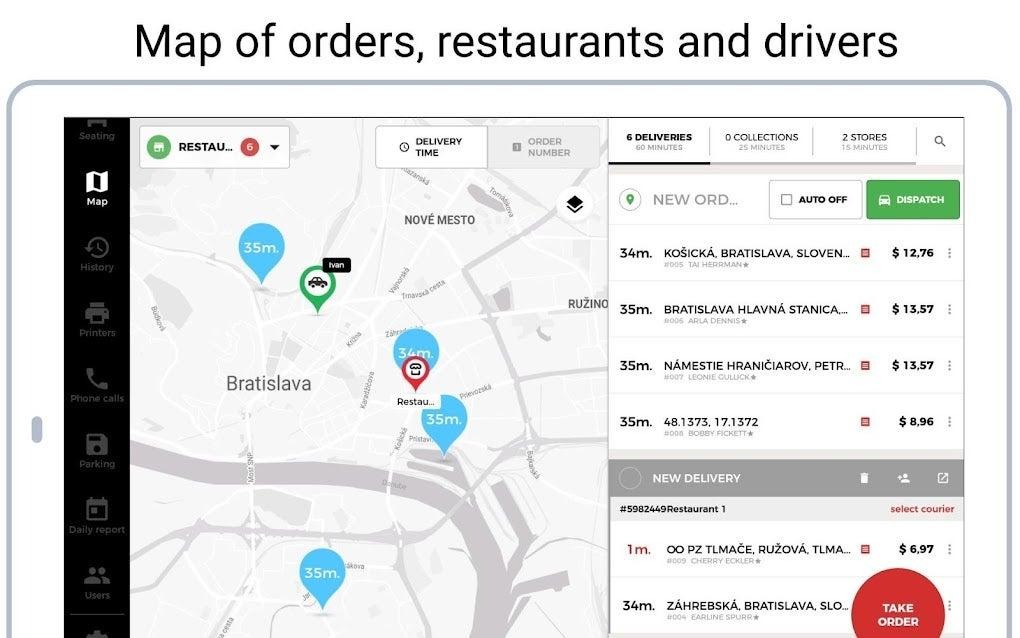
Automated delivery dispatch
Assign orders based on factors such as partner availability, distance, and delivery capacity.
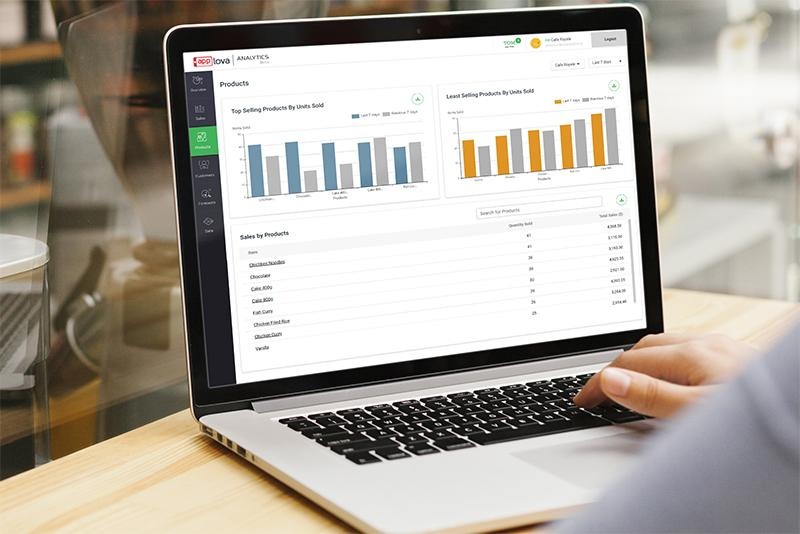
Advanced restaurant analytics
Give restaurant owners reports on popular dishes, peak periods, repeat customers, and order trends.
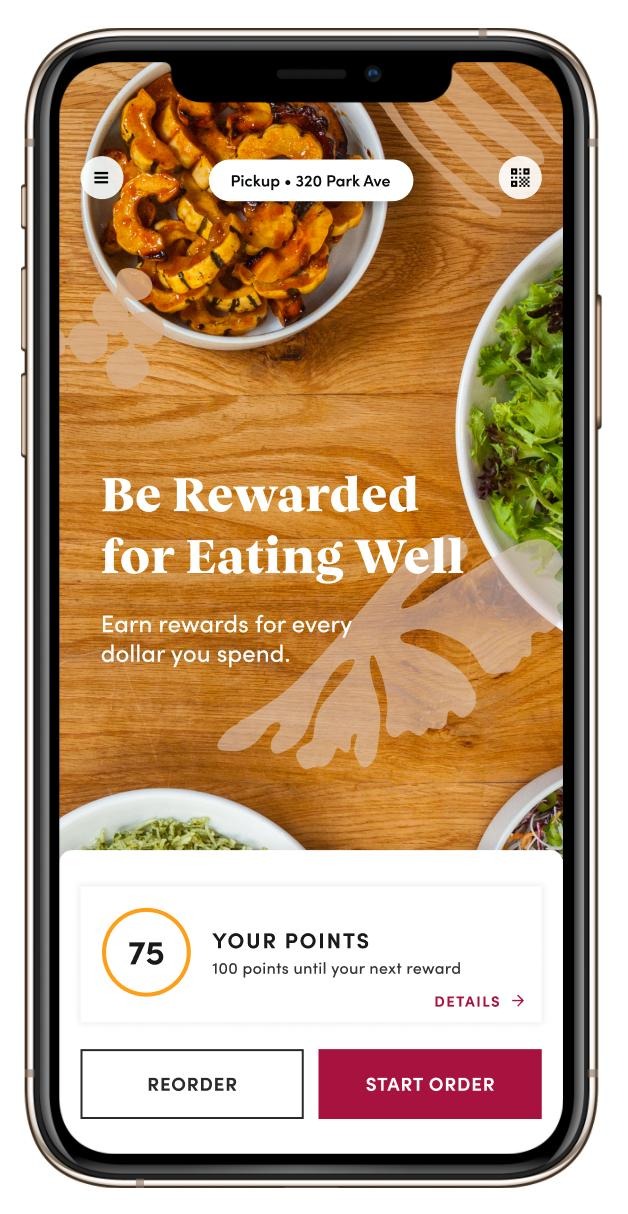
Loyalty and referral programs
Encourage repeat orders with points, referral rewards, or targeted offers.

Before development, decide what kind of platform you want to operate.
|
Model
|
How it works
|
| --- | --- |
|
Restaurant marketplace
|
Customers discover restaurants and place orders through your platform
|
|
Delivery marketplace
|
Your platform connects restaurants, customers, and delivery partners
|
|
Restaurant-owned ordering
|
Restaurants use your software to receive and manage their own orders
|
|
Niche food platform
|
Focus on a specific cuisine, dietary need, neighborhood, or customer group
|
A focused niche can help you test demand before expanding into a broader marketplace.
Choose a launch area and understand how people order food there.
Research:
Talk to potential customers and restaurant owners. Their feedback can help you decide which features are necessary for the first release.
Your first version should solve one clear problem: help customers find participating restaurants and complete an order successfully.
Avoid starting with multiple cities, complicated reward systems, advanced AI recommendations, and highly automated dispatching unless they are essential to your business model.
Create wireframes for the main journeys:
Design the restaurant dashboard and admin workflows alongside the customer app. A smooth customer interface will not solve operational problems if restaurants cannot handle incoming orders.
Your technology depends on your budget, timeline, team, and expected order volume.
|
Layer
|
What it handles
|
| --- | --- |
|
Mobile app or responsive web app
|
Customer ordering experience
|
|
Restaurant dashboard
|
Menus, availability, and order handling
|
|
Delivery interface
|
Assignments, delivery updates, and proof of completion
|
|
Backend and database
|
Users, restaurants, menus, orders, and business rules
|
|
Maps and location services
|
Addresses, service areas, routes, and tracking
|
|
Payment integration
|
Checkout, payment status, and refunds
|
|
Notifications
|
Order updates and operational alerts
|
|
Analytics and monitoring
|
Usage, errors, and business performance
|
You can build separate native apps, cross-platform mobile apps, or start with a responsive web app. The right choice depends on the experience you need to validate.
Prioritize the parts that must work together:
Test the complete order journey, not just individual screens.
Run a small pilot before opening the platform to a wider audience.
Test scenarios such as:
These cases help you identify operational gaps before they affect a larger customer base.
Start with a limited group of restaurants and customers. Track where users leave the ordering process and where restaurant staff need help.
Use this feedback to improve the product before expanding to new locations.
Use this checklist to define your first release.
MVP readiness
0 of 13
Customer registration and login
Location selection and address management
Restaurant listings and search
Restaurant profiles and digital menus
Dish customization and cart
Checkout and payment integration
Restaurant order dashboard
Order status notifications
Basic delivery coordination
Order history and reordering
Ratings and reviews for completed orders
Admin dashboard and support tools
Basic reports and operational monitoring
The cost depends on the number of apps and dashboards, the complexity of delivery operations, integrations, design requirements, and the development team.
A discovery-focused restaurant directory will cost less to build than a full delivery marketplace with customer apps, restaurant tools, delivery partner workflows, automated dispatch, and complex payment handling.
These are rough planning ranges in USD, not verified market averages or a development quote. Actual costs can fall outside them.
|
Product scope
|
Illustrative budget
|
| --- | --- |
|
Basic restaurant discovery and ordering MVP
|
$15,000–$40,000
|
|
Multi-role food delivery marketplace
|
$40,000–$100,000
|
|
More advanced marketplace with automated operations
|
$100,000–$250,000+
|
A realistic estimate requires defining the platforms, user roles, integrations, and operational requirements first.
Plan for expenses that continue after launch:
Important: Development cost is only one part of launching a food delivery business. Restaurant acquisition, delivery operations, customer support, and marketing may require separate budgets.
The timeline depends on the product scope, team size, integrations, and how quickly requirements are finalized.
|
Development stage
|
Illustrative timeframe
|
| --- | --- |
|
Discovery and requirements
|
1–2 weeks
|
|
UX/UI design
|
2–4 weeks
|
|
MVP development
|
8–16 weeks
|
|
Testing and launch preparation
|
2–4 weeks
|
These stages can overlap. A focused MVP may take a few months, while a more complex delivery marketplace can take longer.
There is no single development approach for every food delivery business. Your choice depends on what you need to validate and how much flexibility your product requires.
No-code development
Useful for testing a focused concept, such as restaurant discovery, a simple ordering flow, or a limited pilot.
Considerations: Complex delivery workflows, integrations, and customization may require workarounds or external services.
Low-code development
Can speed up development when you need custom workflows alongside visual development tools.
Considerations: Architecture and integrations still need careful planning, especially as order volume and operational complexity grow.
Custom development
Offers greater control over specialized functionality, infrastructure, and complex business rules.
Considerations: Usually requires more engineering effort, planning, and ongoing technical ownership.
For many startups, a practical approach is to validate the core ordering experience first, then invest in more specialized functionality once the business requirements are clear.
Your revenue model should match the value you provide to customers and restaurants.
|
Revenue stream
|
How it works
|
| --- | --- |
|
Restaurant commission
|
Charge a percentage or agreed fee on eligible orders
|
|
Delivery fees
|
Charge customers for delivery, where applicable
|
|
Restaurant subscriptions
|
Offer paid plans for dashboard tools or business services
|
|
Sponsored listings
|
Let restaurants pay for clearly labeled promotional placement
|
|
Customer memberships
|
Offer subscription benefits such as eligible discounts
|
|
Promotions and campaigns
|
Provide paid marketing tools for restaurants
|
|
Service fees
|
Charge disclosed platform fees where appropriate
|
Before setting prices, calculate the cost of processing orders, payments, support, refunds, and delivery operations. A high order count does not automatically mean a profitable business.
A large feature list can delay testing and increase costs. Start with restaurant discovery, ordering, restaurant order management, and a workable delivery process.
Restaurant staff need clear alerts, accurate order details, and simple ways to update availability. Poor restaurant workflows can cause delays and cancellations.
Tracking is useful, but the app also needs accurate menus, reliable checkout, clear order status, and a way to resolve problems.
Launching in too many areas at once can make restaurant onboarding, delivery coverage, and customer support difficult to manage. Validate one market before expanding.
Define how the platform handles failed payments, unavailable items, rejected orders, late deliveries, and refund requests.
Protect customer addresses, account details, payment-related information, and restaurant data. Use secure authentication, appropriate access controls, and payment providers suited to your market.
Building a Zomato-like platform requires product planning, customer-facing experiences, restaurant workflows, integrations, and a clear path to launch.
InceptMVP helps startups plan and build MVPs using no-code, low-code, and custom development approaches. The right solution depends on your business model, required features, and launch goals.
If you're planning a restaurant marketplace or food delivery product, start by defining the core customer journey, restaurant operations, and delivery model.
Define your MVP, choose the right development approach, and map out the features your first version needs.
Explore InceptMVP Marketplace Services
Start by choosing your business model and target market. Define the MVP, design customer and restaurant workflows, select your technology, integrate ordering and payments, test with real users, and launch in a focused area.
Core features include restaurant discovery, search and filters, menus, cart and checkout, order tracking, restaurant order management, customer reviews, and an admin dashboard. A delivery partner interface is needed if your platform manages deliveries.
An illustrative planning range for a basic restaurant discovery and ordering MVP is $15,000–$40,000. A more complete marketplace can cost substantially more. The actual budget depends on scope, integrations, platforms, and operational complexity.
A focused MVP may take a few months. A full marketplace with customer, restaurant, and delivery interfaces, advanced dispatching, and additional integrations may take longer.
Yes. No-code and low-code tools can support a prototype or focused MVP. The feasibility depends on your required features, integrations, performance needs, and delivery model.
Not always. You can use separate apps or role-based interfaces. The best setup depends on how frequently each group uses the platform and what device experience they need.
Possible revenue streams include restaurant commissions, delivery fees, subscriptions, sponsored listings, promotional campaigns, and disclosed service fees.
Yes. A focused launch can help you test restaurant onboarding, customer demand, delivery operations, and support processes before expanding.
A restaurant discovery app focuses on helping people find and evaluate places to eat. A food delivery app adds ordering, payment, restaurant order management, and delivery coordination.
Start with location selection, restaurant listings, menus, cart and checkout, restaurant order handling, basic order updates, and admin support tools. Add advanced dispatching, subscriptions, and personalized recommendations after validating demand.


.svg)
.svg)


.avif)
