


Building an app like Deliveroo means creating a food delivery platform that connects customers, restaurants, and couriers while keeping orders moving smoothly from checkout to doorstep.
The customer sees a simple experience: find a restaurant, choose food, pay, and track the delivery. Behind that experience, your platform needs to coordinate restaurant preparation, courier availability, delivery assignments, payments, and customer support.
For a startup, the challenge is not simply copying a familiar interface. It is building a reliable delivery operation and giving customers a reason to order again.
This guide explains how to build an app like Deliveroo, including essential features, courier management, customer retention, development costs, and an MVP roadmap.
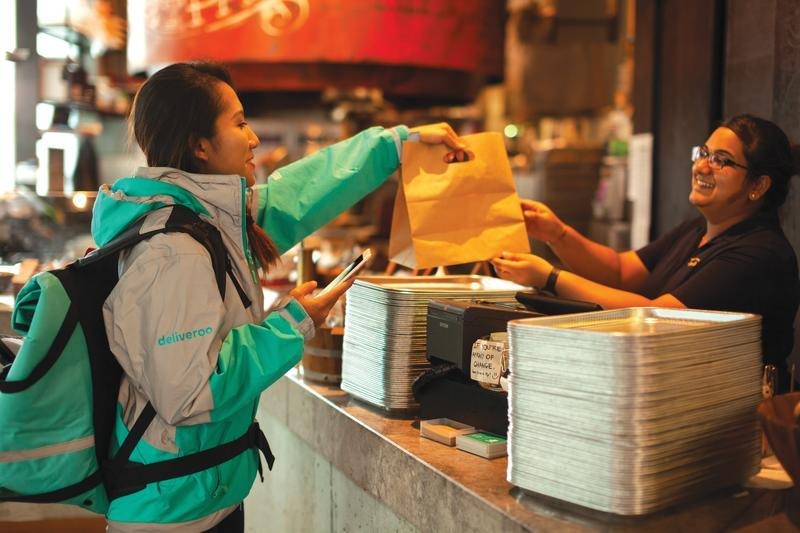
Deliveroo is a food delivery platform that connects customers with restaurants and coordinates delivery through its platform and courier network in the markets it serves.
A Deliveroo-style business typically brings together three main groups:
The platform coordinates the journey and may generate revenue through commissions, delivery fees, service fees, subscriptions, or restaurant promotion products, depending on its market and commercial model.
A basic restaurant ordering website may send an order to a restaurant. A delivery marketplace must also coordinate what happens after checkout.
Your system needs to account for:
The key product challenge: Make ordering simple for customers while making delivery operations manageable for your team.
A reliable system keeps each participant informed. Customers need clear updates, restaurants need manageable order queues, and couriers need accurate pickup and delivery instructions.
A delivery marketplace usually needs four connected interfaces: customer, restaurant, courier, and admin.
You can build these as separate apps or use role-based experiences, depending on your launch plan.
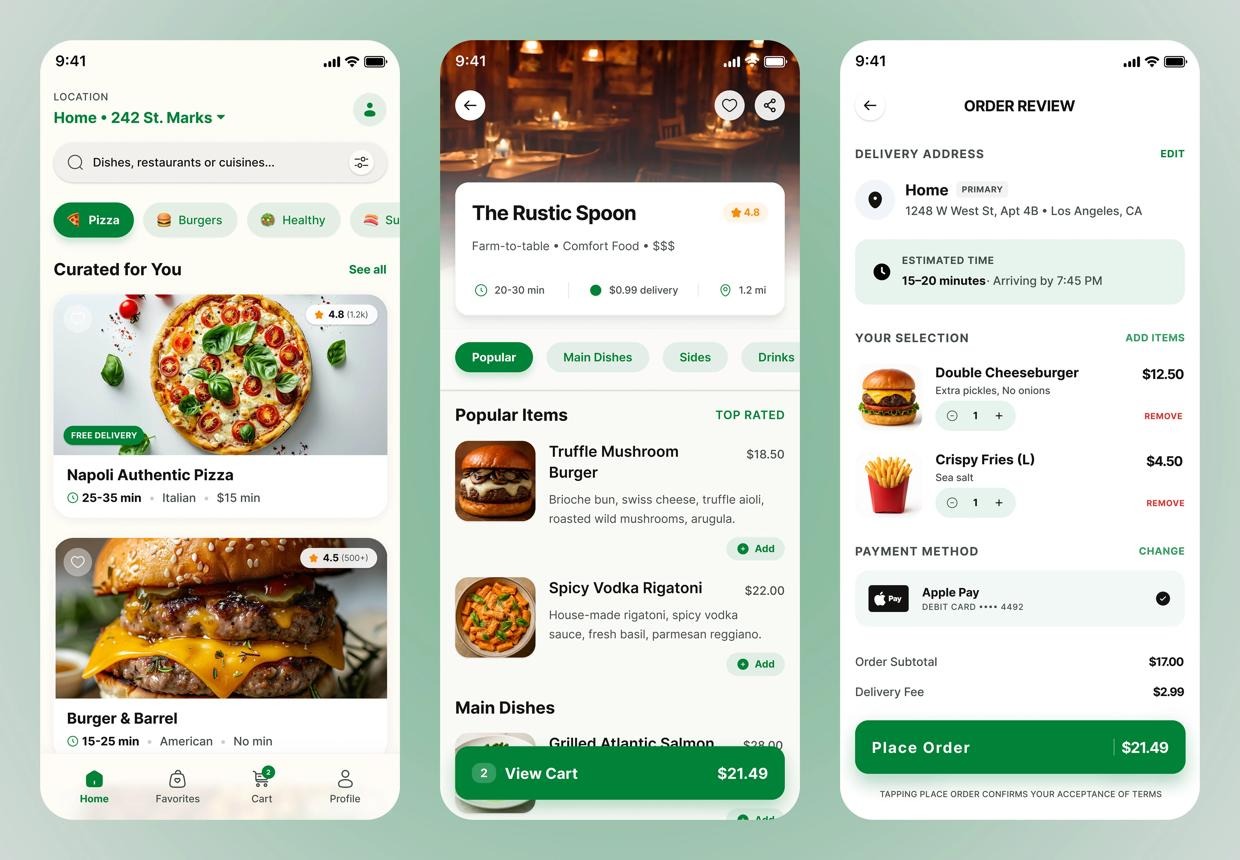
The customer app should make it easy to discover food, place an order, and understand when it will arrive.
|
Feature
|
What it does
|
| --- | --- |
|
Sign-up and login
|
Supports customer accounts and authentication
|
|
Location management
|
Saves delivery addresses and checks service coverage
|
|
Restaurant discovery
|
Shows restaurants available in the customer's area
|
|
Search and filters
|
Helps users find cuisines, dishes, and restaurants
|
|
Restaurant profiles
|
Displays menus, opening hours, ratings, and delivery details
|
|
Cart and checkout
|
Supports dish options, order notes, fees, and payment
|
|
Order tracking
|
Shows order progress and delivery estimates
|
|
Notifications
|
Sends relevant order and delivery updates
|
|
Order history
|
Lets customers review and repeat past orders
|
|
Ratings and reviews
|
Collects feedback on completed orders
|
|
Help and issue reporting
|
Gives customers a way to report missing, incorrect, or late orders
|
Useful features to add later include favorites, referral rewards, personalized recommendations, scheduled orders, and membership benefits.
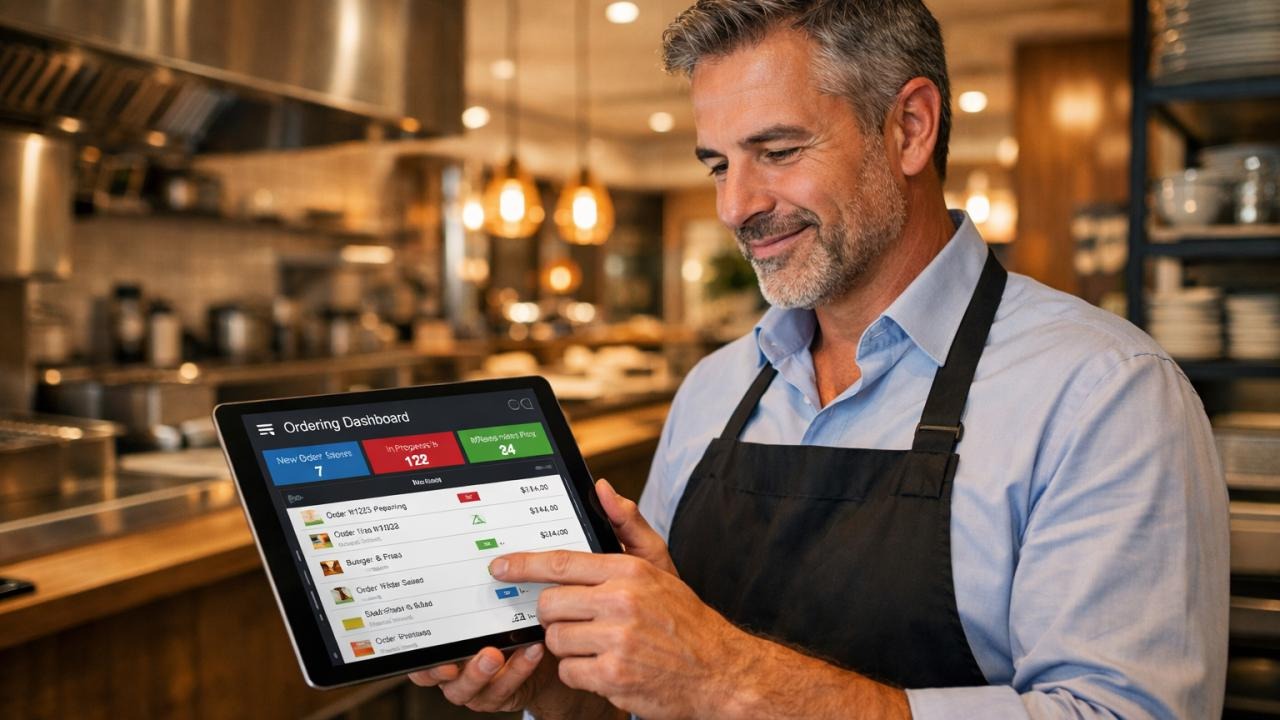
Restaurants need to manage orders quickly, especially during busy periods.
Core features include:
MVP priority: Make it easy for restaurant staff to accept an order, prepare it, mark it ready, and hand it to the courier.

Courier management is central to the delivery experience. The courier app should help partners understand what to collect, where to go, and how to complete each delivery.
|
Feature
|
Purpose
|
| --- | --- |
|
Courier registration
|
Collects required onboarding information
|
|
Availability status
|
Lets couriers indicate when they can receive work
|
|
Delivery offers
|
Shows available delivery assignments
|
|
Assignment details
|
Provides restaurant, customer, and order information
|
|
Pickup confirmation
|
Records that the courier collected the order
|
|
Navigation
|
Opens directions through a mapping service
|
|
Delivery confirmation
|
Marks the order as delivered
|
|
Issue reporting
|
Handles unavailable orders, access problems, or other delivery issues
|
|
Earnings history
|
Shows completed work and applicable earnings
|
|
Support
|
Connects couriers with operational assistance
|
The courier experience should be designed for quick use while moving. Keep critical information readable and reduce unnecessary steps.
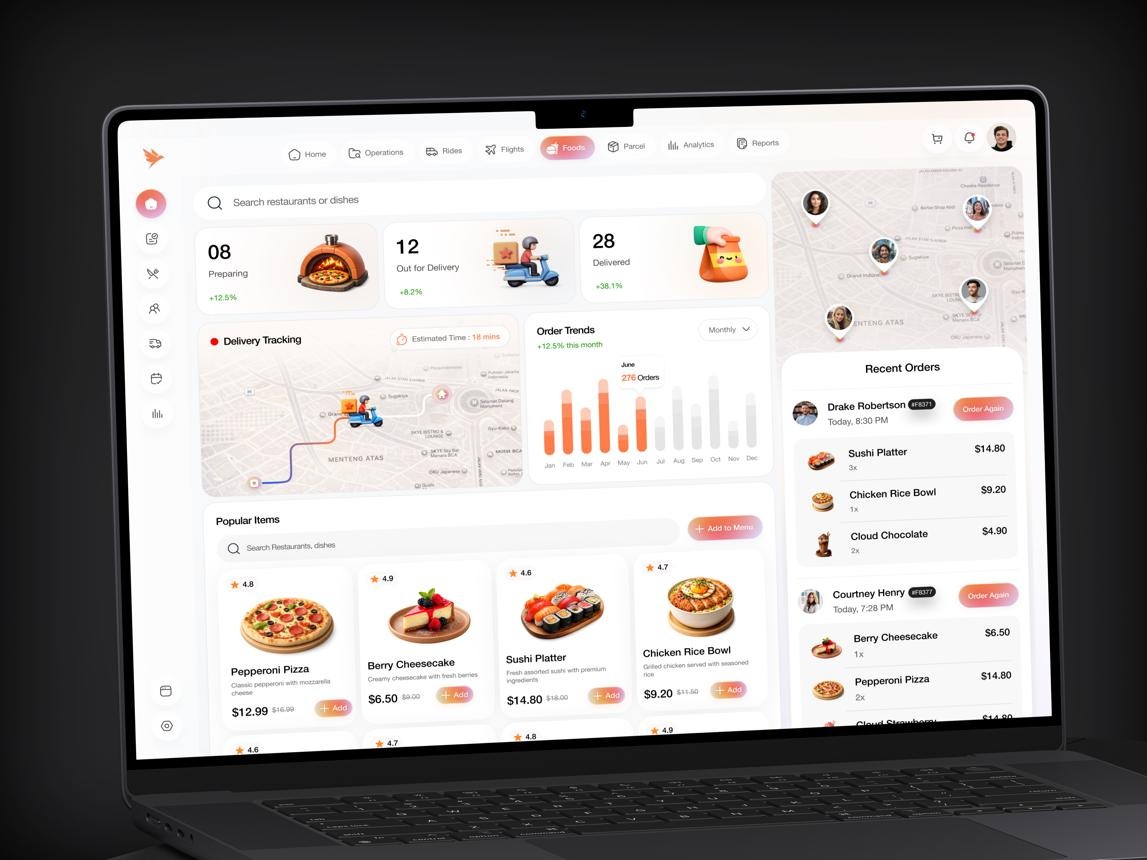
The admin dashboard gives your operations team visibility into the marketplace.
Important capabilities include:
For an MVP, prioritize the tools your team needs to resolve orders and manage participating restaurants. Advanced reporting can follow once you have meaningful order activity.
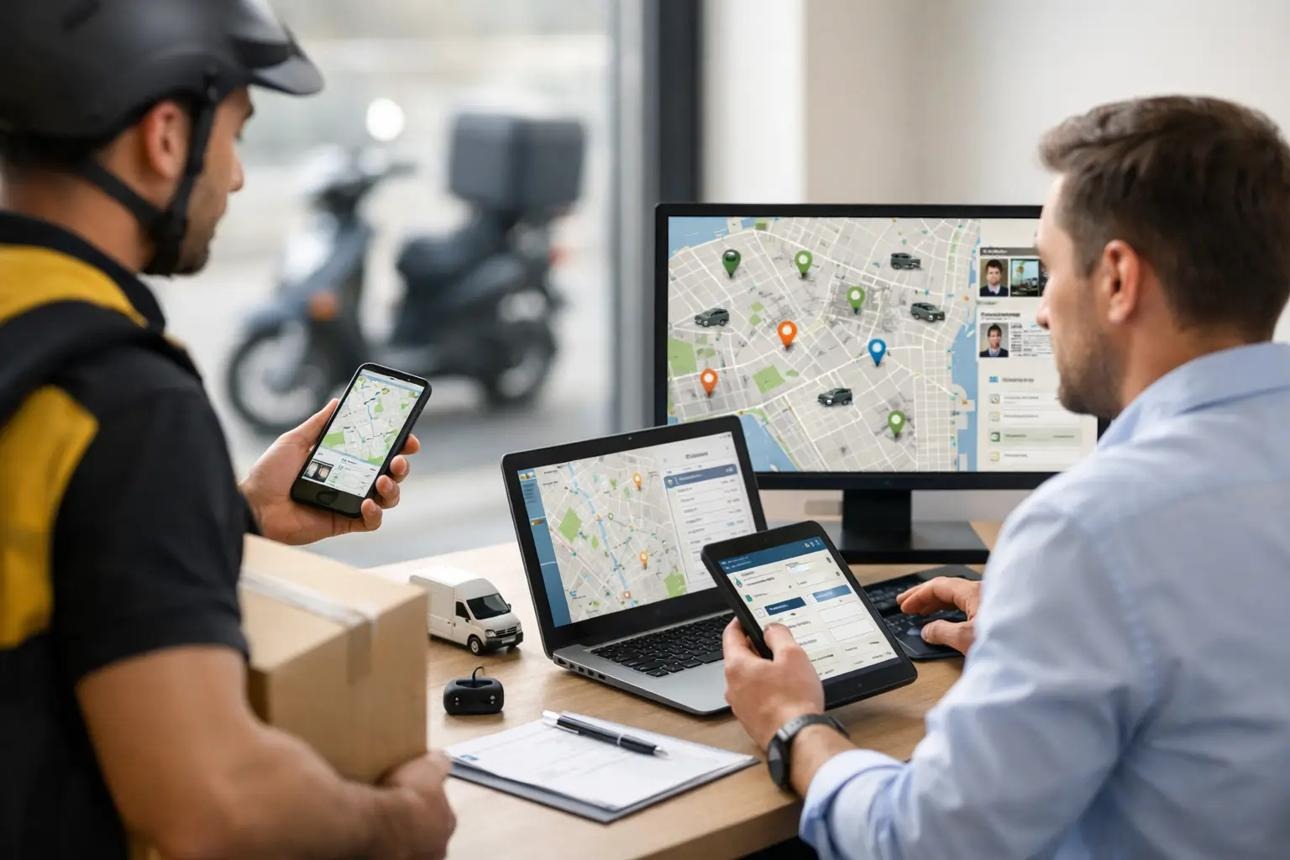
A food delivery app is also an operations system. Even a well-designed customer interface can fail if restaurants, couriers, and order statuses are not coordinated.
Your system should track key events:
These events help the platform estimate delivery progress and identify delays.
For an early MVP, courier assignments can be managed manually or through simple rules. As order volume increases, you may need more automated dispatching.
Possible assignment factors include:
Avoid assigning every order using distance alone. A courier who is close to a restaurant may still be handling another delivery or may arrive before the food is ready.
Plan workflows for common situations:
|
Situation
|
What the platform should support
|
| --- | --- |
|
Restaurant rejects an order
|
Notify the customer and provide the applicable cancellation or refund process
|
|
Item becomes unavailable
|
Allow the restaurant to report it and provide a clear resolution
|
|
Courier cannot collect the order
|
Let operations reassign the delivery or contact the restaurant
|
|
Delivery is delayed
|
Update the customer and provide a way to get help
|
|
Customer cannot be reached
|
Give the courier clear instructions and a support escalation path
|
|
Order is missing or incorrect
|
Record the issue and route it through customer support
|
These workflows should be designed before launch, not improvised after problems occur.
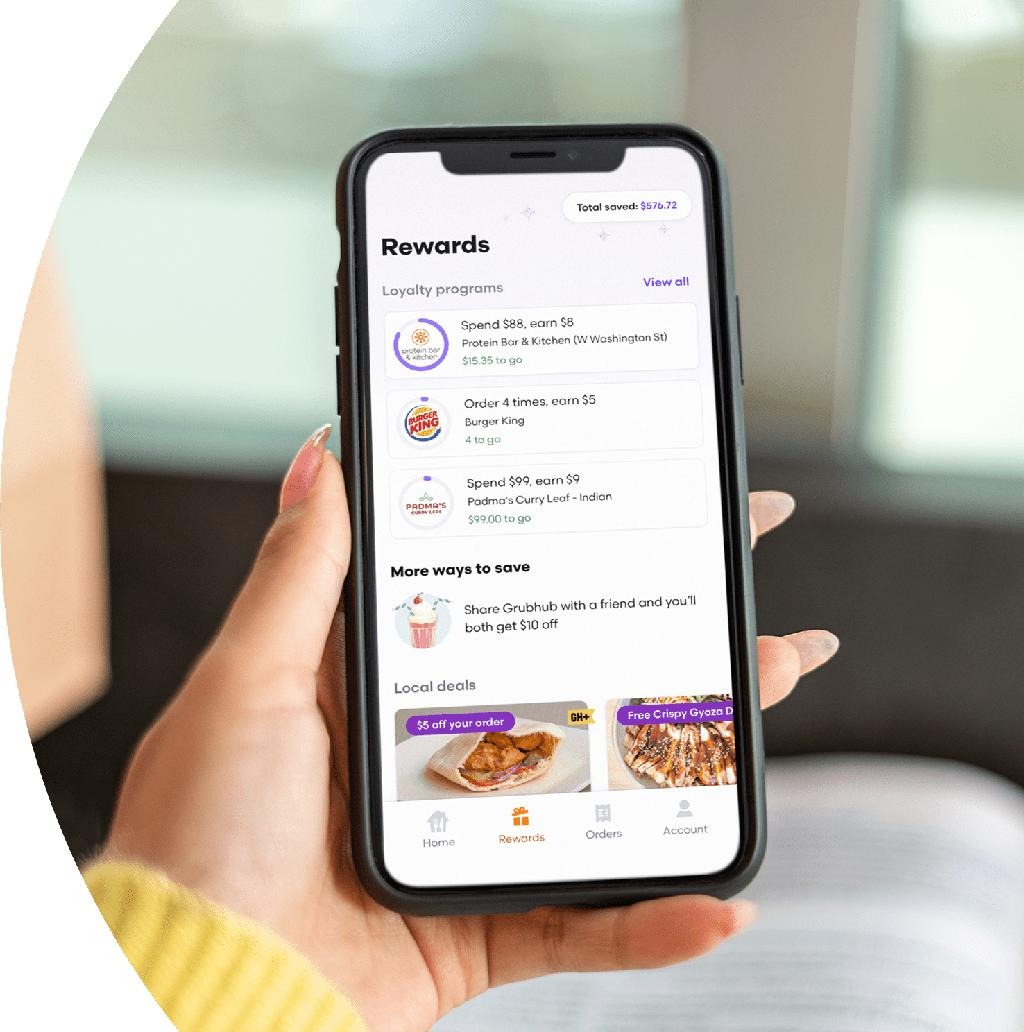
Getting a customer to place a first order is only part of the challenge. A sustainable food delivery business also needs customers to return.
Retention begins with a dependable experience. Promotions may attract attention, but late deliveries, unavailable dishes, unclear fees, or poor support can discourage repeat use.
Let customers find previous orders and add the same items to their cart. Where prices or availability have changed, show the updated details before checkout.
Provide offers that fit the customer’s behavior, such as:
Track whether promotions lead to additional orders, rather than measuring success only by coupon use.
A loyalty program may include points, eligible rewards, or membership benefits. Start with a simple structure that customers can understand and that your business can afford to support.
Customers are more likely to trust a service when the app provides accurate information and the order arrives as expected.
Focus on:
Recommendations can help customers find relevant restaurants and dishes. Begin with simple signals, such as saved favorites or previous orders, before investing in complex recommendation systems.
|
Metric
|
What it helps you understand
|
| --- | --- |
|
Repeat purchase rate
|
How many customers order again within a defined period
|
|
Order frequency
|
How often active customers place orders
|
|
Time between orders
|
How long customers typically wait before returning
|
|
Customer retention by cohort
|
Whether customers from a given signup period continue ordering
|
|
Cancellation rate
|
How often orders are cancelled
|
|
On-time delivery rate
|
How often orders meet the platform's defined delivery target
|
|
Customer support contact rate
|
How frequently orders lead to support requests
|
Define each metric consistently. For example, a 30-day repeat purchase rate should specify whether it counts customers who placed a second order within 30 days of their first order.

Decide how your platform will handle delivery.
|
Model
|
Description
|
| --- | --- |
|
Marketplace with your courier network
|
Your platform coordinates restaurant orders and deliveries through its courier operations
|
|
Marketplace with restaurant delivery
|
Participating restaurants handle their own deliveries
|
|
Hybrid delivery model
|
Some restaurants use your couriers, while others deliver themselves
|
|
Niche delivery service
|
Focus on a particular cuisine, neighborhood, or customer segment
|
Your choice affects the courier app, admin dashboard, delivery workflows, and operating costs.
Choose a manageable geographic area and validate demand.
Research:
Speak with restaurant owners and potential customers before finalizing the feature list.
Write down what the first version must do from beginning to end.
A practical MVP may include:
Keep advanced loyalty programs, complex dispatch algorithms, and extensive analytics out of the first release unless they are essential to your business model.
Create wireframes for each role.
Customer: Select location → browse → choose food → checkout → track → receive.
Restaurant: Receive order → accept → prepare → mark ready → hand over.
Courier: Receive assignment → collect → navigate → deliver → confirm.
Admin: Monitor → resolve exceptions → manage users and partners → review performance.
Make sure these journeys connect through shared order statuses and clear responsibilities.
Your technical setup should support the features you need without adding unnecessary complexity.
|
Component
|
Role
|
| --- | --- |
|
Customer mobile app or web app
|
Restaurant discovery and ordering
|
|
Restaurant dashboard
|
Menu and order management
|
|
Courier app or mobile interface
|
Delivery assignments and completion
|
|
Backend and database
|
Users, menus, orders, payments, and business rules
|
|
Maps and location services
|
Service areas, addresses, navigation, and tracking
|
|
Payment provider
|
Payment processing and payment status
|
|
Notification service
|
Order and delivery updates
|
|
Analytics and monitoring
|
Product usage, errors, and operational performance
|
The best architecture depends on your expected order volume, required integrations, and available development resources.
Prioritize the shared workflow that connects all roles.
Make sure the system can:
Test this lifecycle as one connected process.
Start with a limited number of restaurants and couriers.
Use the pilot to understand:
Use real pilot results to refine the app and operating procedures.
Once the core process is stable, expand carefully.
Track customer experience, restaurant participation, delivery reliability, and repeat orders. Use those results to decide whether your next investment should be new features, more restaurants, additional delivery capacity, or a new launch area.
MVP readiness
0 of 13
Customer registration and login
Delivery location and service-area checks
Restaurant discovery and search
Restaurant profiles and digital menus
Cart, checkout, and payment integration
Restaurant order dashboard
Courier onboarding and delivery assignments
Pickup and delivery status updates
Customer order tracking and notifications
Admin order monitoring and support tools
Cancellation and refund workflows
Order history and reordering
Basic retention and operational reports
The cost depends on how much of the delivery operation your platform manages.
A restaurant directory with online ordering has a different scope from a multi-role marketplace with courier apps, dispatching, live tracking, restaurant dashboards, and customer support workflows.
These are rough planning ranges in USD, not verified market averages or a development quote.
|
Product scope
|
Illustrative budget
|
| --- | --- |
|
Basic food ordering MVP
|
$15,000–$40,000
|
|
Multi-role marketplace with courier management
|
$40,000–$100,000
|
|
Advanced delivery platform with automated operations
|
$100,000–$250,000+
|
Actual costs may be outside these ranges. A reliable estimate requires a defined scope, integrations, and technical requirements.
Development is only one part of running a food delivery platform. You may also need to budget for:
If your platform manages deliveries directly, courier availability and delivery operations can become significant parts of the business budget.
The timeline depends on product scope, team size, integrations, and how quickly requirements are finalized.
|
Development stage
|
Illustrative timeframe
|
| --- | --- |
|
Discovery and requirements
|
1–2 weeks
|
|
UX/UI design
|
2–4 weeks
|
|
MVP development
|
8–16 weeks
|
|
Testing and launch preparation
|
2–4 weeks
|
These stages can overlap. A focused MVP may take a few months, while a larger platform with advanced courier dispatching, multiple interfaces, and complex operational rules may take longer.
The development approach should match your first release and your longer-term technical needs.
No-code development
Can help validate a focused ordering concept, restaurant directory, or limited pilot.
Considerations: Advanced courier workflows, specialized integrations, and complex operational requirements may need workarounds or external services.
Low-code development
Can combine visual development with custom logic and integrations for a more tailored MVP.
Considerations: Delivery workflows, permissions, and system architecture still need careful planning.
Custom development
Provides more control over specialized dispatching, architecture, integrations, and complex business rules.
Considerations: Usually requires more engineering effort, planning, and ongoing technical ownership.
For many startups, the practical question is not which approach is universally best. It is which approach can validate the business model while supporting the workflows the product genuinely needs.
Your revenue model should reflect the value you provide and the costs of operating the marketplace.
|
Revenue stream
|
How it works
|
| --- | --- |
|
Restaurant commission
|
Charge an agreed fee or percentage on eligible orders
|
|
Customer delivery fee
|
Charge for delivery, where applicable
|
|
Service fee
|
Add a clearly disclosed platform fee
|
|
Restaurant subscriptions
|
Offer paid business tools or service plans
|
|
Sponsored restaurant listings
|
Sell clearly labeled promotional placement
|
|
Customer memberships
|
Offer eligible benefits through a subscription
|
|
Marketing tools
|
Provide restaurant promotions or campaign services
|
Before setting fees, account for payment costs, refunds, customer support, courier expenses, and promotional discounts.
Important: Revenue is not the same as profit. Calculate the contribution from each order after the costs directly associated with fulfilling it.
Advanced loyalty programs, complex recommendation systems, and automated dispatching can wait if they are not needed to validate the first version.
Couriers need accurate assignments, clear pickup instructions, reliable navigation, and a way to report delivery problems.
An inaccurate estimate can frustrate customers and put pressure on restaurants and couriers. Use realistic estimates and update them when conditions change.
Restaurants need clear order alerts, simple menu controls, and a way to manage busy periods or unavailable dishes.
Promotions can attract orders, but they do not automatically create loyal customers. Measure repeat behavior and the cost of acquiring and retaining customers.
More restaurants and delivery areas add operational complexity. Validate your processes in a focused market before expanding.
Late, missing, or incorrect orders need clear resolution workflows. Customers should not have to search for a way to report a problem.
Protect customer addresses, account details, restaurant information, and payment-related data. Use secure authentication, appropriate access controls, and payment providers suited to your market.
A Deliveroo-style platform needs more than customer-facing screens. It requires product planning, connected ordering workflows, restaurant tools, delivery coordination, and a clear plan for launch.
InceptMVP helps startups plan and build MVPs using no-code, low-code, and custom development approaches. The right solution depends on your business model, required features, and launch goals.
If you are planning a food delivery marketplace, start by defining the customer journey, restaurant operations, and courier model before deciding which features to build.
Turn your idea into a clear MVP scope, map the core workflows, and plan your development approach.
Explore InceptMVP Marketplace Services
Choose your business model and launch market, define the MVP, design customer, restaurant, and courier workflows, select your technology, integrate payments and delivery coordination, test with real users, and launch in a focused area.
Core features include restaurant discovery, menus, cart and checkout, order tracking, restaurant order management, courier assignments, delivery updates, customer support, and an admin dashboard.
A rough planning range for a basic food ordering MVP is $15,000–$40,000. A more complete multi-role marketplace may require a larger budget. Actual costs depend on the scope, integrations, platforms, and delivery operations.
A focused MVP may take a few months. A more advanced platform with automated dispatching, multiple interfaces, and complex integrations can take longer.
No-code and low-code tools can support a prototype or focused MVP. Feasibility depends on your required features, integrations, delivery model, and technical needs.
Not always. You can start with a mobile-friendly courier interface or manually coordinated delivery operations. A dedicated app may become useful as courier activity and operational complexity grow.
The platform can onboard couriers, track availability, send delivery assignments, provide pickup and drop-off details, record delivery status, and support issue reporting. Assignment can be manual, rule-based, or more automated.
Make ordering reliable, simplify reordering, provide useful notifications, resolve problems quickly, and test relevant offers or loyalty features. Measure repeat orders rather than relying only on downloads or coupon use.
Common revenue models include restaurant commissions, delivery fees, service fees, restaurant subscriptions, sponsored listings, and customer memberships.
Yes. A focused launch can help you validate restaurant demand, courier operations, customer experience, and unit economics before expanding.


.svg)
.svg)


.avif)
