

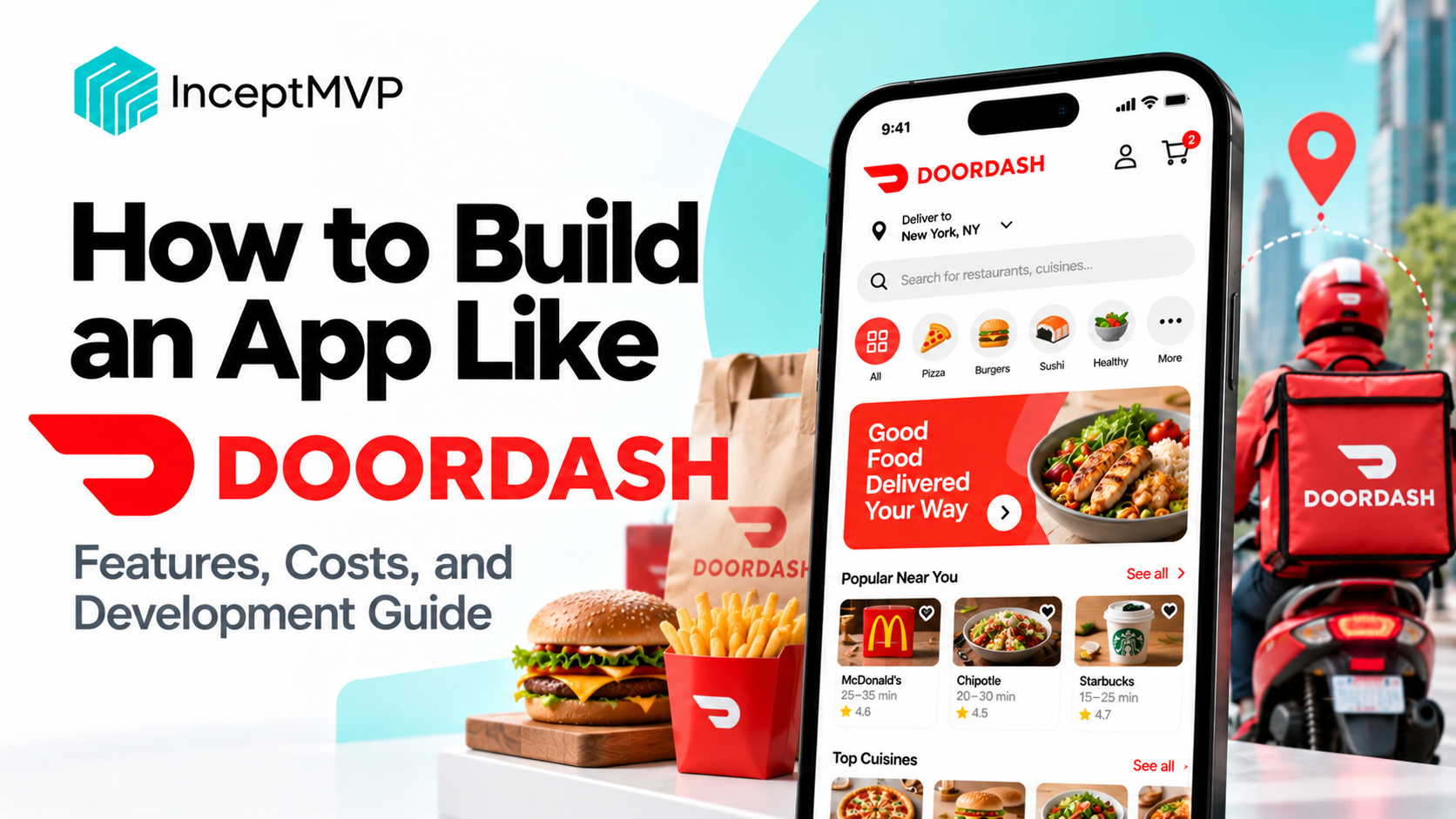
Local delivery apps have changed how people order meals, groceries, and everyday essentials. Customers want convenient ordering and reliable delivery. Merchants want more customers and easier order management. Delivery partners need clear assignments, navigation, and payment information.
DoorDash is a well-known example of a local delivery marketplace that connects customers, merchants, and delivery partners.
Building an app like DoorDash means creating a connected delivery business, not just a shopping interface. You need to manage merchant onboarding, product catalogs, order processing, dispatch, delivery tracking, payments, and customer support.
This guide explains how to plan and develop a local delivery marketplace, which features to include in your MVP, how dispatch systems and subscriptions work, and what affects development cost and timeline.
An app like DoorDash is a local delivery marketplace that allows customers to order products from nearby merchants and receive them through a delivery network or merchant-managed fulfillment.
Depending on your business model, your platform might support:
The platform brings together customers, merchants, delivery partners, and administrators through connected apps and dashboards.
|
Business model
|
How it works
|
| --- | --- |
|
Restaurant delivery marketplace
|
Customers order meals from local restaurants
|
|
Multi-category local marketplace
|
Customers order from different types of nearby merchants
|
|
Merchant-managed delivery
|
Merchants receive orders and handle their own deliveries
|
|
Platform-managed delivery
|
Your platform coordinates delivery partners
|
|
Hybrid delivery
|
Merchants can use their own delivery or your delivery network
|
Your choice affects how orders are assigned, how merchants are charged, how delivery fees are calculated, and which apps you need to build.
A local delivery marketplace coordinates the customer order, merchant preparation, delivery assignment, and final handoff.
The system also needs to handle exceptions, such as unavailable products, merchant delays, courier cancellations, incorrect addresses, and payment failures.
A local delivery marketplace usually needs four connected experiences: customer, merchant, delivery partner, and admin.
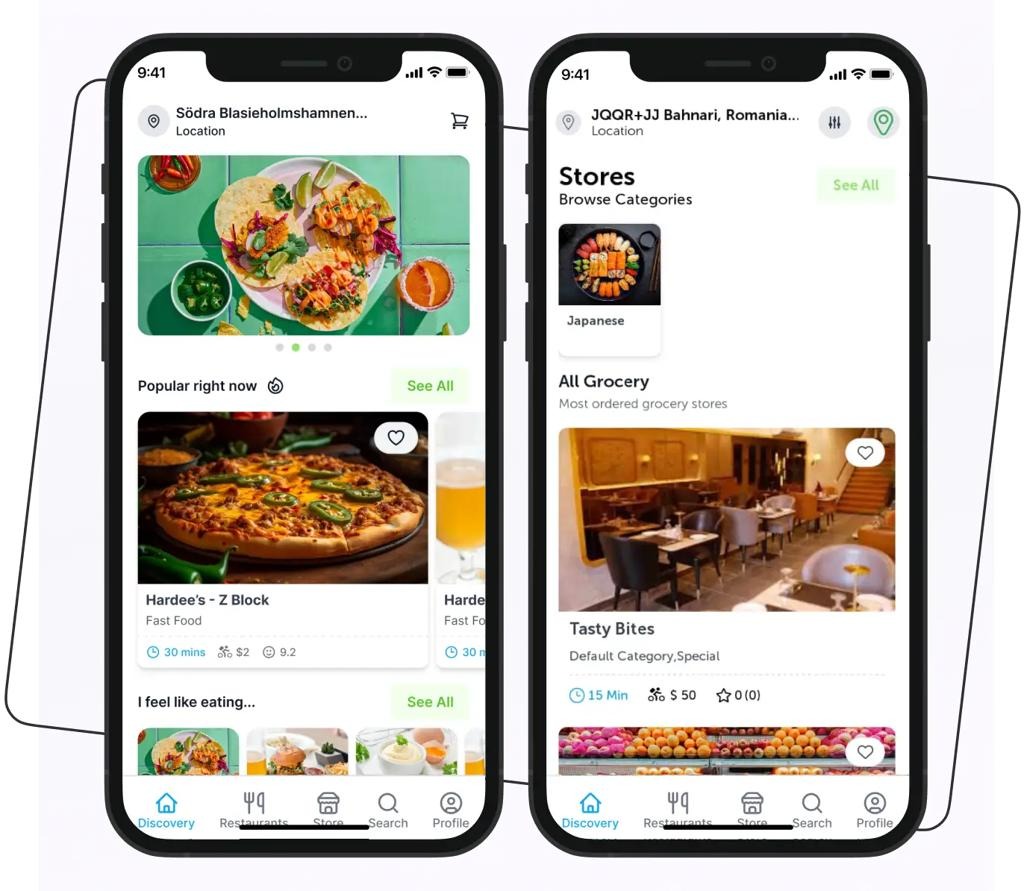
The customer app should make it easy to find nearby merchants, place an order, and understand when it will arrive.
Include:
Do not show a merchant as deliverable until the system has checked the applicable service-area rules.
Customers should be able to:
For a multi-category marketplace, allow customers to discover different types of businesses without making the navigation confusing.
Support:
If customers can order from multiple merchants, decide whether the app will support a multi-merchant cart or require separate checkouts.
Include:
Show all applicable charges before the customer confirms the order.
Customers should be able to view previous orders, track active deliveries, request eligible cancellations, and contact support about missing, late, or incorrect orders.
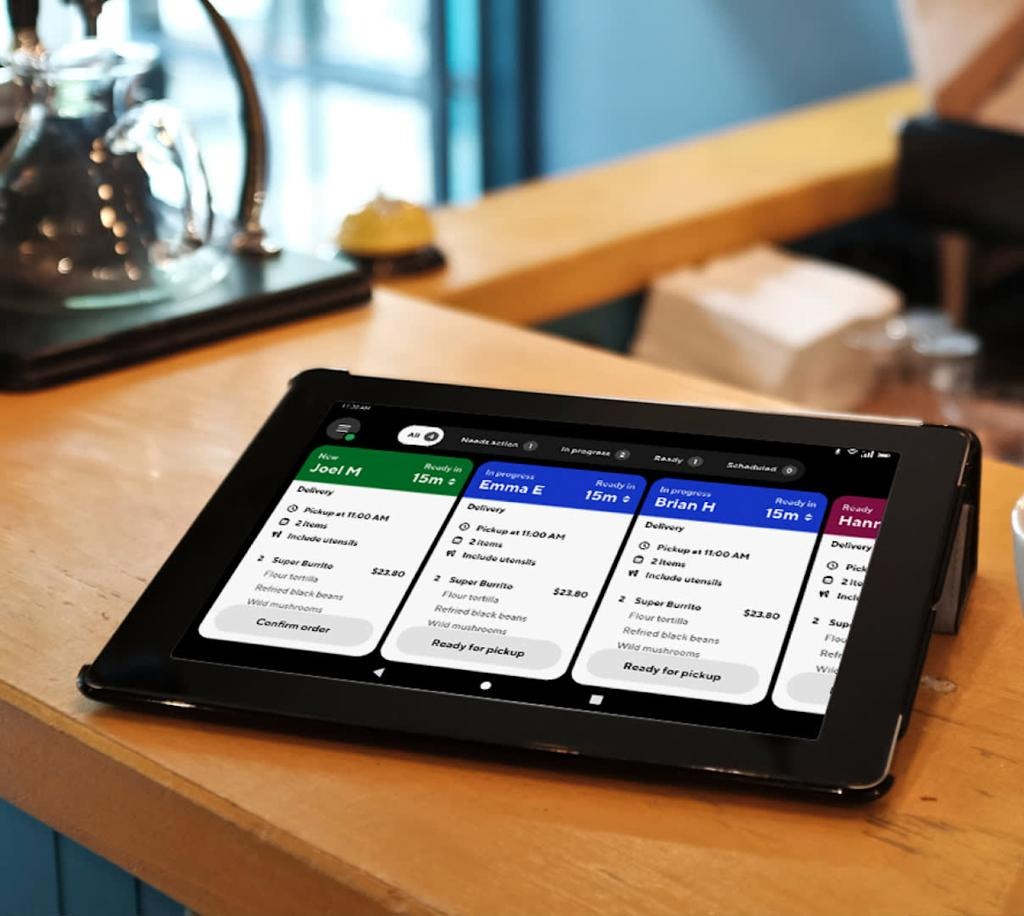
Merchants need practical tools to join the marketplace, manage products, receive orders, and track their business activity.
A merchant onboarding process may collect:
Requirements depend on the country, merchant category, and operating model.
Merchants should be able to:
A useful merchant tool should allow businesses to update availability quickly.
For example, a grocery store may need to mark an item out of stock, while a restaurant may need to pause a menu item during a busy period.
For MVP development, start with clear product availability and order updates. More advanced inventory synchronization can be added when the business requires it.
Consider showing:
Define each metric clearly so merchants understand what the numbers represent.

If your platform manages its own delivery network, delivery partners need an app that makes each delivery easy to understand and complete.
Depending on your market and operating model, onboarding may include:
Delivery partners should be able to:
Provide a clear view of completed deliveries, earnings, incentives, adjustments, and payout status. Explain how delivery payments are calculated.
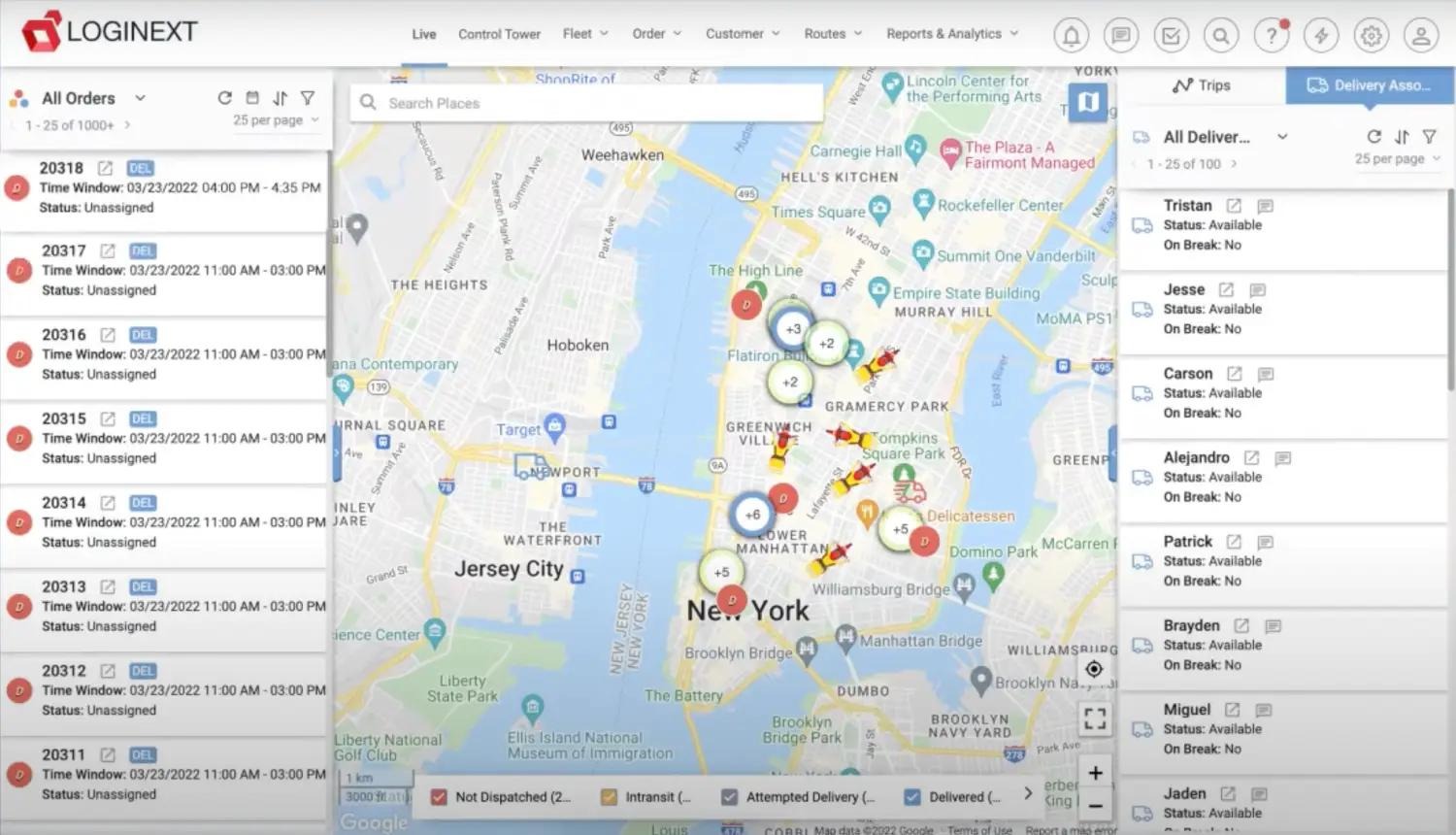
The dispatch system connects orders with available delivery partners. It is one of the core components of a platform-managed delivery marketplace.
A dispatch system needs to account for courier availability, merchant preparation, distance, delivery zones, and the status of existing assignments.
A basic dispatch workflow can follow these steps:
|
Dispatch method
|
How it works
|
| --- | --- |
|
Manual dispatch
|
An operator assigns deliveries through an admin dashboard
|
|
Rule-based dispatch
|
The system selects couriers using predefined rules
|
|
Automated dispatch
|
The system evaluates several factors to offer or assign deliveries
|
|
Hybrid dispatch
|
Automation handles routine assignments, with manual intervention for exceptions
|
For an MVP, rule-based dispatch can be sufficient. More advanced optimization can be introduced as delivery volume and operational complexity increase.
Do not optimize dispatch using distance alone. A nearby courier may be busy, while another courier may be better positioned to complete the order on time.
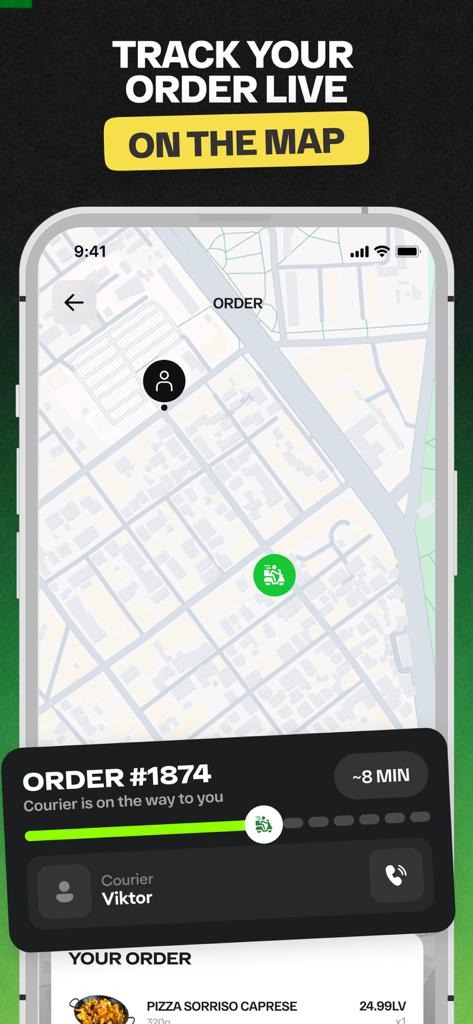
Live tracking helps customers understand what is happening after an order is placed.
A tracking screen may show:
The courier app can send location updates during an active delivery when the required permissions are enabled. The backend processes those updates and shares authorized information with the customer app.
The customer app can then update the map and delivery progress.
An estimated arrival time may consider:
Treat the time as an estimate, not a guarantee. Update it when meaningful changes occur.
Collect only the location data needed for the delivery workflow. Explain how location is used, restrict access, and stop delivery-related tracking when it is no longer needed.
The order management system connects customers, merchants, delivery partners, payments, and support.
Each order should have a clear status and a record of important changes.
|
Order status
|
Meaning
|
| --- | --- |
|
Placed
|
Customer submitted the order
|
|
Confirmed
|
Merchant accepted the order
|
|
Preparing
|
Merchant is preparing the order
|
|
Ready for pickup
|
Merchant marked the order ready
|
|
Courier assigned
|
A delivery partner is assigned
|
|
Picked up
|
Courier collected the order
|
|
On the way
|
Delivery is in progress
|
|
Delivered
|
Order was completed
|
|
Cancelled
|
Order was cancelled under the applicable rules
|
Some statuses may occur in a different order depending on the delivery model.
Your platform should define what happens when:
For every exception, define who can take action, which notifications are sent, and how payment and order records are updated.
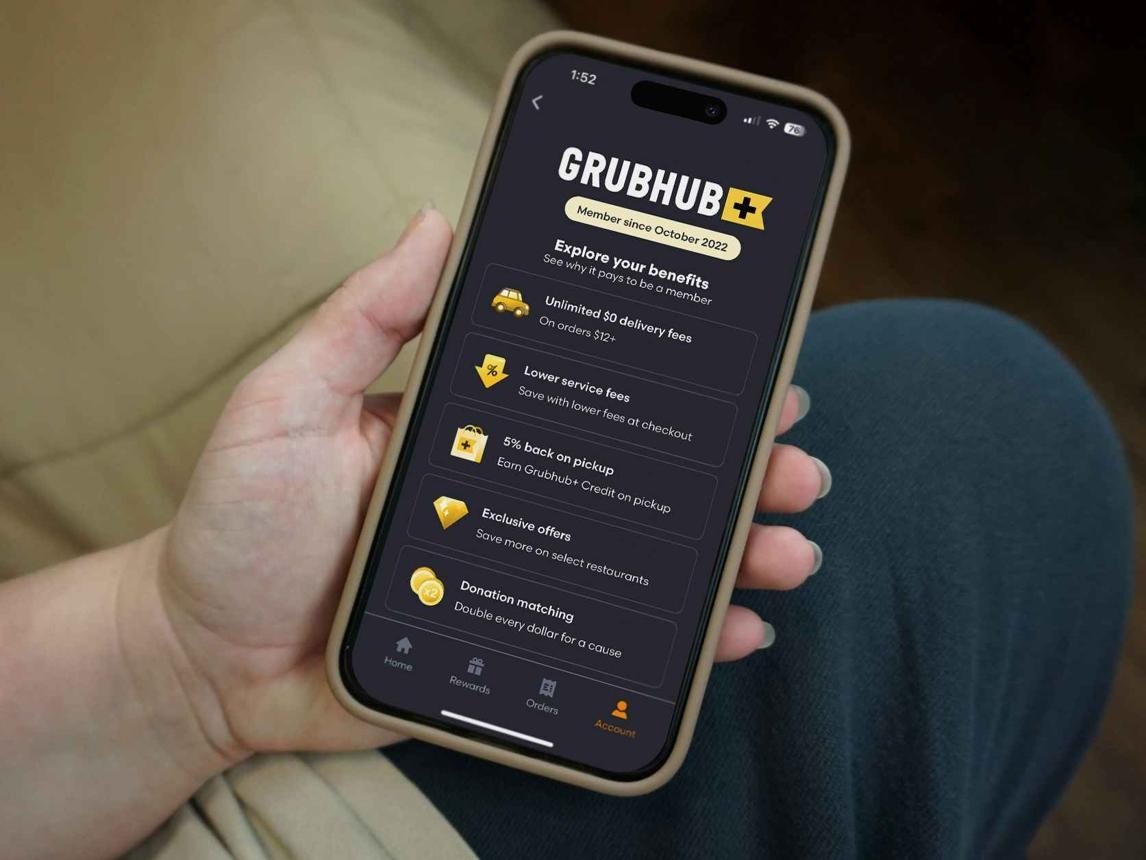
A DoorDash-like marketplace can offer subscriptions to customers or merchants. The value of each plan should be clear and sustainable for the business.
A customer membership may include benefits such as:
Define eligibility rules carefully. For example, a delivery-fee benefit may apply only to qualifying orders, participating merchants, or specific service areas.
A merchant subscription may provide:
Keep core order processing and essential account functions accessible according to your merchant agreements.
Your platform may need:
Clearly disclose subscription pricing, renewal terms, and cancellation rules before customers or merchants subscribe.
The admin dashboard gives the platform operator a central view of the marketplace.
|
Admin feature
|
Purpose
|
| --- | --- |
|
Merchant management
|
Review applications and manage merchant accounts
|
|
Courier management
|
Handle onboarding, eligibility, and delivery activity
|
|
Order monitoring
|
Track active, delayed, cancelled, and completed orders
|
|
Dispatch controls
|
Monitor assignments and handle exceptions
|
|
Payments
|
Review transactions, refunds, commissions, and payouts
|
|
Subscription management
|
Manage plans, benefits, and billing status
|
|
Promotions
|
Configure eligible offers and campaigns
|
|
Customer support
|
Handle complaints, refunds, and delivery issues
|
|
Service areas
|
Configure delivery zones and operating rules
|
|
Analytics
|
Monitor orders, revenue, fulfillment, and marketplace activity
|
Use role-based permissions so that merchants, couriers, support staff, and administrators can access only the information needed for their roles.
Your MVP should support the full order journey without requiring every advanced feature from day one.
0 of 12 selected
Select all
Customer registration and saved addresses
Merchant discovery and service-area checks
Product catalog and availability
Cart and checkout
Payment integration or configured cash-on-delivery flow
Merchant onboarding and order dashboard
Courier onboarding and delivery requests
Basic dispatch rules
Order status updates
Basic delivery tracking
Admin dashboard
Cancellation, refund, and support workflows
Customer subscriptions, advanced dispatch optimization, merchant advertising, and detailed analytics can be introduced after the core marketplace has been tested.
Development costs depend on the number of apps, dispatch complexity, payment integrations, merchant tools, and launch requirements.
The following are illustrative planning ranges, not verified industry averages or a development quote.
|
Development scope
|
Illustrative budget
|
| --- | --- |
|
Basic local delivery MVP
|
$20,000–$50,000
|
|
Mid-level marketplace with courier app and live tracking
|
$50,000–$120,000
|
|
Advanced platform with complex dispatch and subscriptions
|
$120,000–$300,000+
|
Actual costs can vary significantly. These estimates may not include ongoing map usage, payment processing, hosting, marketing, courier operations, customer support, or other business expenses.
A practical approach: Start with one service area, a manageable merchant network, and a straightforward dispatch workflow. Invest in advanced automation after you understand real delivery patterns.
The timeline depends on your MVP scope, team, integrations, and operating model.
|
Project stage
|
Example planning range
|
| --- | --- |
|
Discovery and requirements
|
1–3 weeks
|
|
UI/UX design
|
2–5 weeks
|
|
MVP development
|
8–18 weeks
|
|
Testing and launch preparation
|
2–5 weeks
|
Stages may overlap. These are planning estimates, not guaranteed delivery times. Complex dispatch, subscriptions, payment onboarding, and custom integrations can extend the schedule.
Your technology approach should reflect the complexity of your marketplace and delivery operations.
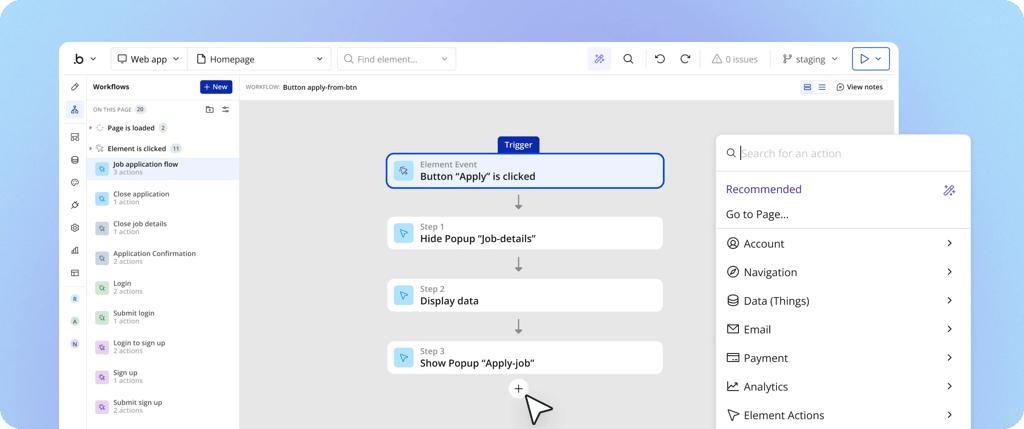
No-code development
Can help validate simpler ordering and merchant workflows. Confirm that the platform supports your required maps, payment provider, notifications, and delivery processes.
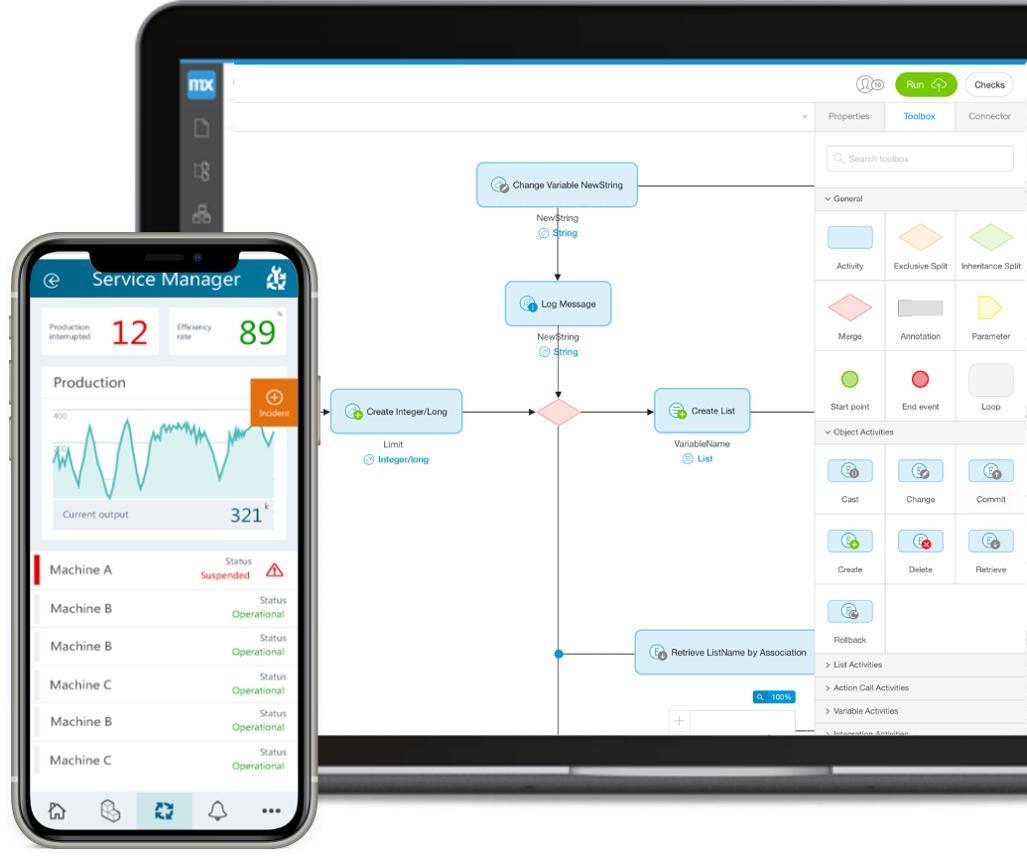
Low-code development
Combines visual development with custom code. It may be suitable for an MVP that needs tailored merchant tools and integrations without building every component from scratch.
Custom development
Provides more control over dispatch logic, real-time tracking, subscriptions, and complex marketplace operations. It usually requires more engineering effort and ongoing maintenance.
A hybrid approach is also possible. You can build custom marketplace workflows while using established services for maps, payments, messaging, and notifications.
A local delivery marketplace can combine several revenue streams.
|
Revenue model
|
How it works
|
| --- | --- |
|
Merchant commission
|
Charge merchants a fee or percentage on eligible orders
|
|
Customer delivery fee
|
Charge for delivery under clear pricing rules
|
|
Customer service fee
|
Apply a disclosed platform fee
|
|
Customer subscription
|
Offer recurring membership benefits
|
|
Merchant subscription
|
Charge for optional business tools or services
|
|
Sponsored placements
|
Offer clearly labeled promotional visibility
|
|
Promotions and partnerships
|
Generate revenue through eligible campaigns or commercial agreements
|
Your revenue model should account for payment processing, refunds, courier payments, customer support, promotions, and other operating costs.
A high order volume does not automatically mean a profitable marketplace. Track the contribution of each order and subscription after applicable costs.
A dispatch system should support the operating model you can reliably manage, rather than adding complexity for its own sake.
For an MVP, you can define rules based on courier availability, distance, delivery zones, and active assignments.
Give authorized operators a way to handle cases such as rejected offers, unavailable couriers, and delayed orders.
Monitor metrics such as:
Use these measures to identify operational problems and decide whether more advanced dispatch logic is needed.
As your platform grows, you can explore delivery batching, demand forecasting, route optimization, and more advanced assignment methods. Test these changes against actual service outcomes and operational costs.
A wide launch can make it difficult to maintain merchant coverage and delivery reliability.
What to do instead: Start with a defined service area and expand when operations can support it.
A good customer interface cannot compensate for confusing merchant tools or unreliable courier workflows.
What to do instead: Design and test the full marketplace journey.
Advanced dispatch systems can add development effort before you have enough real delivery data.
What to do instead: Begin with clear rules and improve them using actual operational results.
Customers may order products that are unavailable if merchants cannot update their catalogs quickly.
What to do instead: Make product availability easy to update and connect it to the order workflow.
Customers may misunderstand eligibility, renewal, or cancellation rules.
What to do instead: Clearly disclose subscription pricing, benefits, limitations, and cancellation terms.
Inaccurate estimates can frustrate customers and increase support requests.
What to do instead: Use realistic estimates and update them when meaningful conditions change.
Merchant commissions, courier payments, refunds, and customer charges need accurate records.
What to do instead: Define transaction rules and maintain traceable payment records.
Unnecessary tracking can create privacy and trust concerns.
What to do instead: Limit location collection to what is needed for delivery, explain its use, and restrict access.
Creating a DoorDash-like platform requires a connected product for customers, merchants, delivery partners, and administrators.
InceptMVP helps businesses plan and develop digital products, including marketplace platforms. Your roadmap should reflect your delivery model, launch market, merchant requirements, and operational goals.
Whether you are building a local restaurant delivery service or a multi-category delivery marketplace, start with a practical MVP that can handle real orders from placement to delivery.
Define your merchant workflows, dispatch requirements, customer journey, and MVP scope before development begins.
Explore InceptMVP marketplace development
A basic local delivery MVP may have an illustrative development budget of $20,000–$50,000. Platforms with advanced dispatch, subscriptions, and complex integrations can cost considerably more. Actual pricing depends on project scope.
A focused MVP may take a few months to design, develop, test, and prepare for launch. Complex delivery workflows and integrations can extend the timeline.
Core features include customer ordering, merchant onboarding, product catalogs, checkout, payments, delivery assignment, order tracking, courier tools, and an admin dashboard.
It identifies eligible delivery partners and offers or assigns orders based on rules such as availability, distance, delivery zones, and active assignments.
No-code and low-code tools can support some marketplace workflows. Suitability depends on your dispatch, tracking, payment, and integration requirements.
Common revenue streams include merchant commissions, delivery fees, service fees, subscriptions, and sponsored placements.
A delivery subscription is a recurring membership that provides defined benefits, such as reduced delivery fees on eligible orders or member-only offers.
If your platform manages its own delivery network, a dedicated courier experience is often useful for delivery offers, navigation, status updates, and earnings. Merchant-managed delivery may use a different workflow.
Yes. You can support different merchant categories, but each may need specific product attributes, fulfillment rules, and operating requirements.
Start with customer ordering, merchant order management, basic courier assignment, order status updates, payment handling, and admin controls. Add advanced dispatch and subscriptions after validating the core service.


.svg)
.svg)


.avif)
