

There is nothing more frustrating than reaching the final stage of your app build inside Lovable only to hit deploy and watch nothing happen.
No live URL.
No successful build.
No clear explanation.
Just deployment failure.
For founders building fast with AI, this is usually the moment excitement turns into confusion.
You have already built the product.
The workflows look good.
The design is complete.
Everything feels ready.
But your app refuses to go live.
The good news is this:
Most Lovable deployment issues are fixable.
And in most cases, the problem is not Lovable itself.
It is usually a configuration issue, missing dependency, broken integration, or structural conflict created during development.
If your Lovable app is not deploying, this guide will help you troubleshoot it step by step and get your MVP live faster.
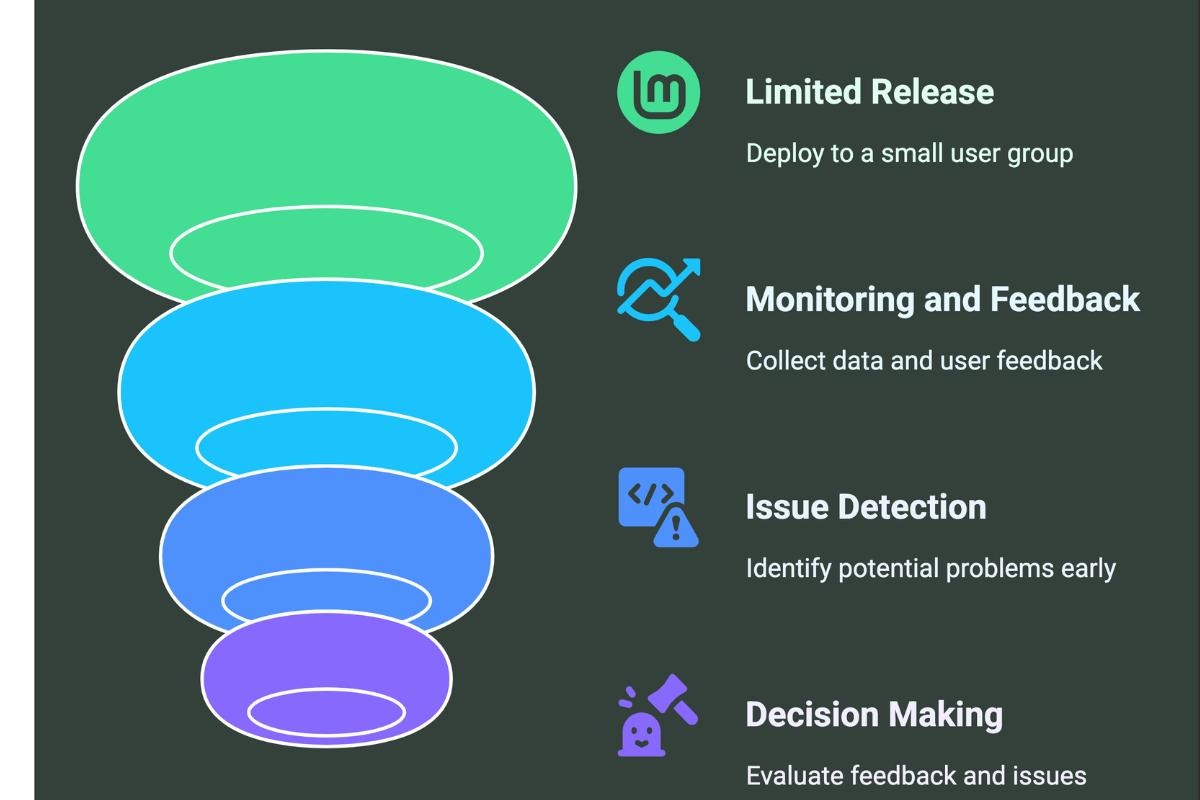
Deployment issues usually happen because your project contains something the hosting environment cannot process correctly.
Lovable builds quickly, but deployment depends on technical consistency.
Even a small issue can stop the process.
The most common causes include:
The key is identifying which issue is blocking the build.
That is exactly what this troubleshooting process solves.
Most founders skip this.
They see “Deployment Failed” and immediately retry.
That rarely works.
Look at the deployment log carefully.
Common messages usually point directly to the issue.
For example:
Missing environment variable
This means your app depends on secret keys or API credentials that are not configured.
Module not found
A required dependency is missing or incorrectly referenced.
Build failed
Usually points to broken project logic or invalid component structure.
Authentication configuration error
Often means your login provider settings are incomplete.
The exact error usually tells you where to investigate first.
Do not guess.
Read it carefully.
This is one of the most common deployment blockers in Lovable projects.
If your app connects to external services like:
you likely need environment variables.
Verify:

One incorrect key can break deployment instantly.
Ask yourself:
What changed right before deployment stopped working?
Common examples:
If deployment worked earlier, the newest change is often the cause.
Rollback temporarily if needed.
This helps isolate the exact issue faster.
Before deploying again, verify your core flows inside Lovable.
Check:
If something breaks inside the project itself, deployment will likely fail too.
Fix internal logic first.
Deployment depends on stable product behavior.
Overbuilt MVPs fail more often.
Founders frequently stack too many systems at once:
When multiple systems depend on each other, deployment complexity rises fast.
Temporarily disable non-essential features.
Deploy the simplest working version first.
Then reintroduce features gradually.
This isolates hidden conflicts quickly.
Sometimes Lovable is fine.
The external service is blocking deployment.
Verify access permissions for:
A revoked token or restricted permission often causes silent deployment failure.
Reconnect services if necessary.
This is where many founders waste days.
They keep prompting fixes into unstable code structures.
Eventually the project becomes harder to repair than rebuild.
If one module repeatedly breaks deployment, rebuild it cleanly.
This is especially common for:
A fresh build often deploys faster than endless patching.
Deployment sometimes fails because hosting settings are incomplete.
Double-check:
Even small mismatches can stop launch.
Confirm everything aligns with your project requirements.
If deployment keeps failing after repeated fixes, the issue is usually architectural.
This is where expert review saves massive time.
At InceptMVP, we help founders debug broken Lovable deployments, repair unstable app architecture, and turn unfinished projects into launch-ready products fast.
What feels impossible is often fixable in hours with experienced diagnosis.
The best Lovable projects avoid deployment issues by building intentionally.
That means:
Deployment should never be the first full-system test.
It should be a final confirmation of stability.
Deployment failure feels like the finish line disappearing right before launch.
It is frustrating.
But it is almost always solvable.
Most Lovable deployment issues come down to structure, configuration, or integration mistakes not platform limitations.
Fix those, and your app usually goes live fast.
And once it does, you are no longer building an idea.
You are launching a real product into the market.
Lovable apps usually fail to deploy due to configuration issues like missing environment variables, broken dependencies, or integration errors rather than platform problems.
Start by checking deployment logs, verifying environment variables, reviewing recent changes, and testing your core app functionality before redeploying.
The most common issues include missing environment variables, module not found errors, authentication setup problems, database connection failures, and build conflicts.
Yes. Overbuilt MVPs with too many integrations and complex logic can create conflicts that prevent successful deployment.
Always read the deployment error log first. It usually clearly points to the root cause such as missing variables or broken modules.
If one section (like authentication or payments) keeps breaking deployment repeatedly, rebuilding it cleanly is often faster and more stable.
Build with a clean structure, add features gradually, test frequently, and avoid overcomplicating your MVP early on.





.svg)
.svg)


.avif)
